


Kliknij, aby zobaczyć pełny wykres
Naprężenie i obciążenie prętów
Minimalne naprężenie dolne i maks. obciążenie prętów vs PIP i napełnienie pompy, pogrupowane według częstotliwości skoku. Zobacz, gdzie struna opuszcza bezpieczny pas.


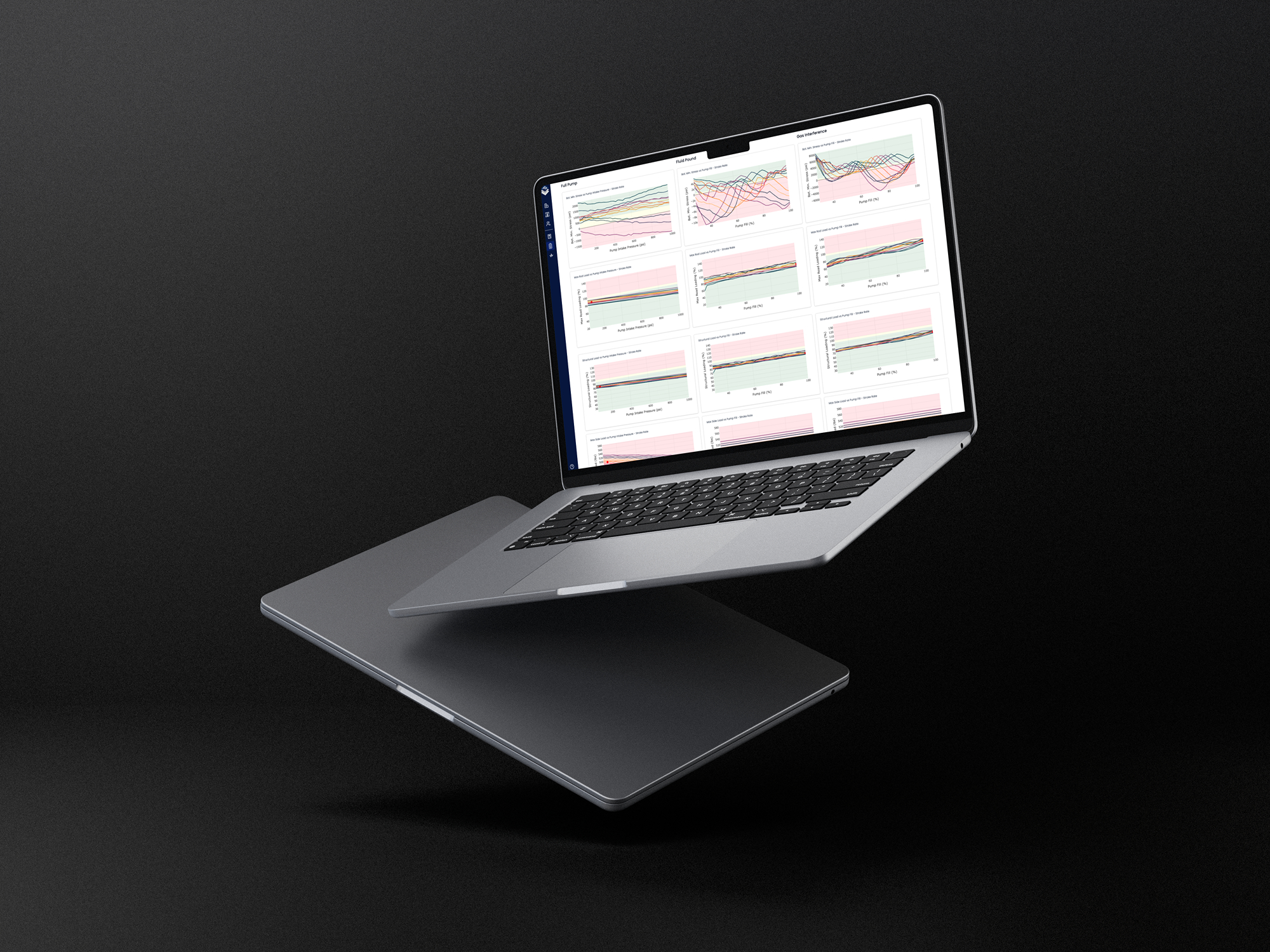
RodSim Dynamics runs a parallel sensitivity sweep on pump fillage, pump intake pressure, and stroke rate. See how the string and unit hold as the well changes.
Dynamic Output groups rod stress, unit loading, and production across pump fillage, pump intake pressure, and stroke rate. Review the matrix, then expand any chart.
Sekcje prętów, jednostki pompującej i wydajności z jednego równoległego skanowania.
Krzywe naprężeń, obciążeń i produkcji w funkcji napełnienia pompy, PIP i SPM.
Twoja częstotliwość skoku pozostaje podświetlona na każdym rozwiniętym wykresie.
Wykresy wypełniają kadr. Kliknij, aby powiększyć lub otwórz rozwinięty wykres naprężeń.
Dynamics runs those three axes in parallel on the well you already have in PetroBench. You see whether rods and the pumping unit stay inside limits across the sweep, not only at the design snapshot.

Naprężenie prętów i maks. obciążenie prętów vs ciśnienie ssania pompy i napełnienie, pogrupowane według częstotliwości skoku.
Naprężenie i obciążenie konstrukcyjne w funkcji napełnienia i PIP dla każdej częstotliwości skoku. Przeciążenie widoczne przed włożeniem struny do otworu.
Napełnienie pompy, ciśnienie ssania i SPM zmieniają się razem w jednym uruchomieniu. Przeglądasz okno operacyjne, w którym będzie działać produkcja.
Wybierz projekt, który pozostaje w limitach na wykresach, następnie ustaw go jako zalecany projekt na odwiert.
Each axis is a lever engineers change on a live well. Dynamics runs them together so you see interactions, not one-off cases.


Jedno równoległe skanowanie zasila trzy warstwy przeglądu. Każda sekcja grupuje wykresy, których inżynierowie używają do zatwierdzenia prętów, jednostki pompującej i produkcji.
Kliknij, aby zobaczyć pełny wykres
Minimalne naprężenie dolne i maks. obciążenie prętów vs PIP i napełnienie pompy, pogrupowane według częstotliwości skoku. Zobacz, gdzie struna opuszcza bezpieczny pas.
Kliknij, aby zobaczyć pełny wykres
Obciążenie przekładni i konstrukcji w tej samej macierzy. Potwierdź, że jednostka pozostaje w limicie, gdy napełnienie pompy i prędkość się zmieniają.
Kliknij, aby zobaczyć pełny wykres
Produkcja płynu i wydajność systemu vs skanowanie. Połącz limity prętów i jednostki z wydajnością, aby projekt, który zostawiasz, nadal produkował w oknie.
Weź odwiert, który znasz. Uruchom macierz wrażliwości i wybierz przypadek bazowy z wykresów.
Nasz system planowania jest tymczasowo niedostępny. Kliknij poniżej, aby zaplanować bezpośrednio lub skontaktować się z nami.
Masz pytania lub potrzebujesz pomocy w innej sprawie? Skontaktuj się