
What V2 Means for Your Team
V2 is designed to standardize how rod lift simulations are created, reviewed, and managed across your organization.
Engineers operate within a faster, cleaner environment with fewer steps required to configure and run simulations. Version control ensures every design iteration is traceable and recoverable.
Managers gain visibility into every well, every revision, and every decision across divisions and regions, with reporting that reflects a consistent organizational structure.
IT gains enterprise-grade governance with granular role based access controls, SSO & SCIM integration, and full audit logging, ensuring the platform aligns with internal security and compliance standards.
Whether your team operates from a single office or across multiple global divisions and regions, V2 creates one standardized workflow and one source of truth for every well and every design.
Modern Interface
Redesigned for speed and clarity
Global Unit Systems
Metric, imperial & international units
Multi-Language
10+ languages with full RTL support
Version Control
Full revision history on every simulation
Comparisons
Up to 5 simulations side by side
PDF Reporting
Improved reports for clients & management
Enterprise Org
HQ, divisions, regions & groups
Roles & Audit Trail
RBAC, SSO, SCIM & compliance logs
Custom Equipment
Improved pumping units & rod management
Bulk Import
Import legacy SROD & RODSTAR files
Integrations
Snowflake, Databricks, WellView, SSO & SCIM
Onboarding & Docs
Interactive tours and documentation
RodSim
V2 refines how engineers build, compare, and manage rod lift designs. Below is a closer look at version control, side-by-side comparisons, centralized equipment libraries, 3D wellbore visualization, and redesigned PDF reporting.
Version Control on Every Simulation
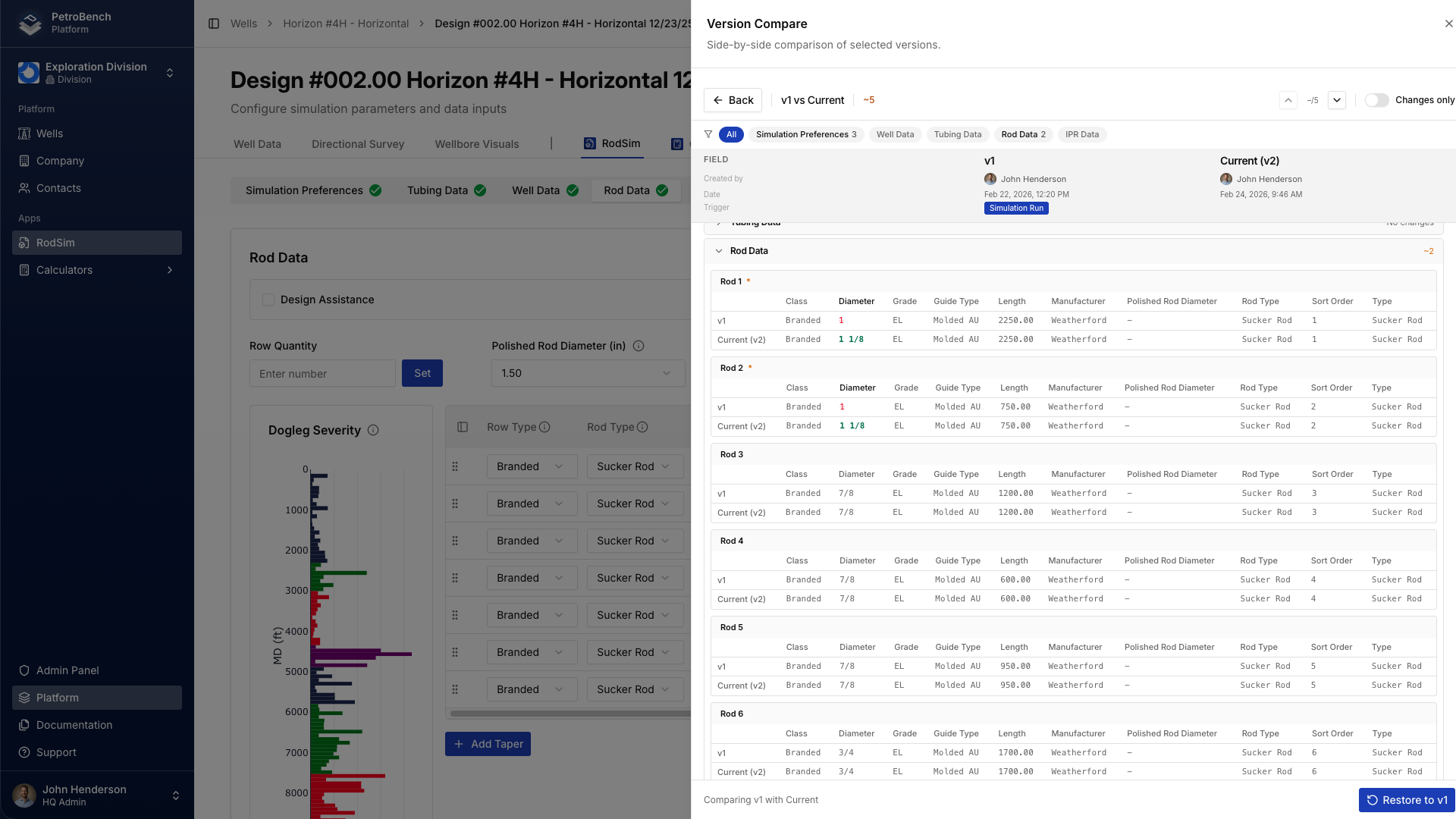
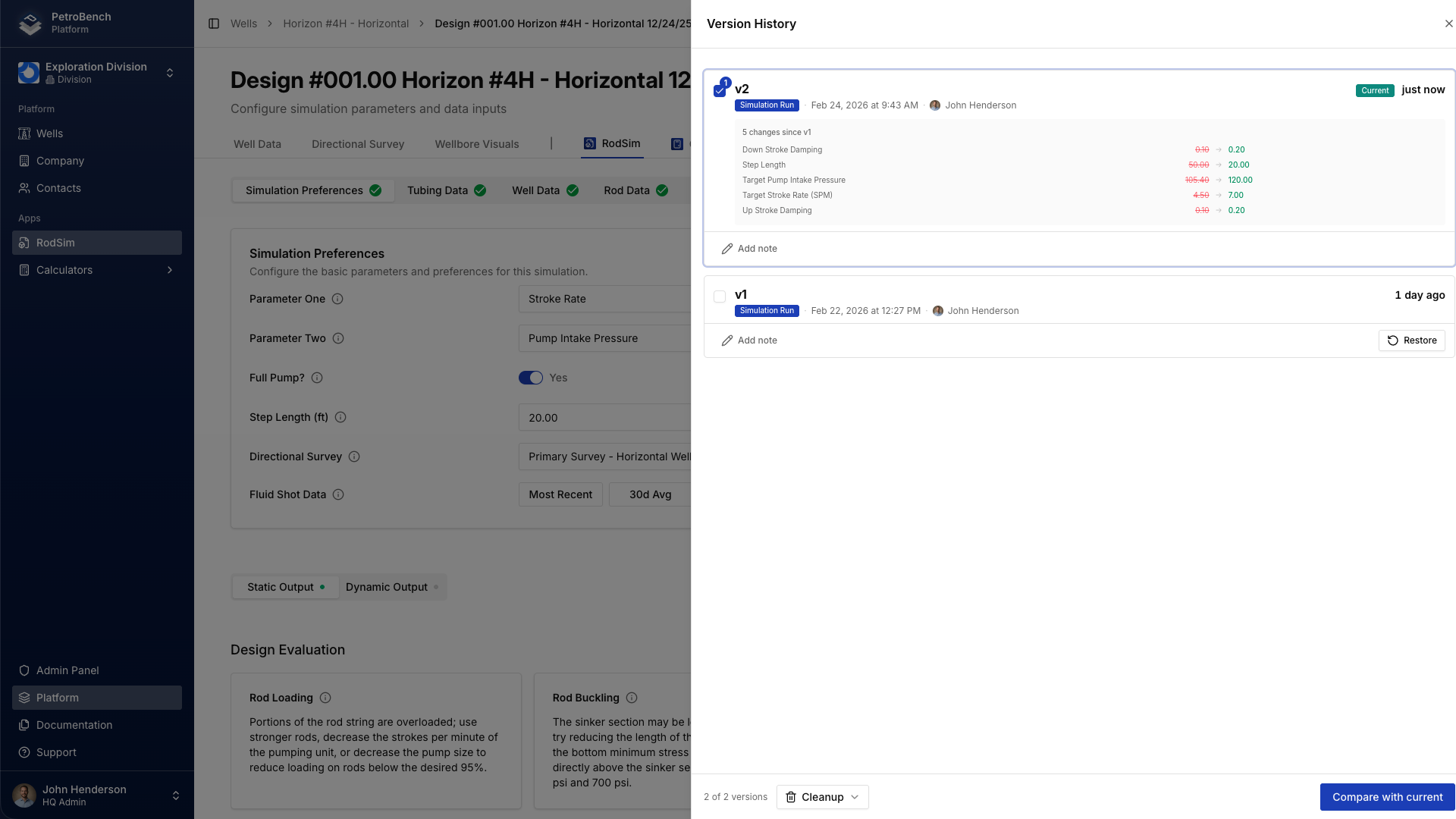
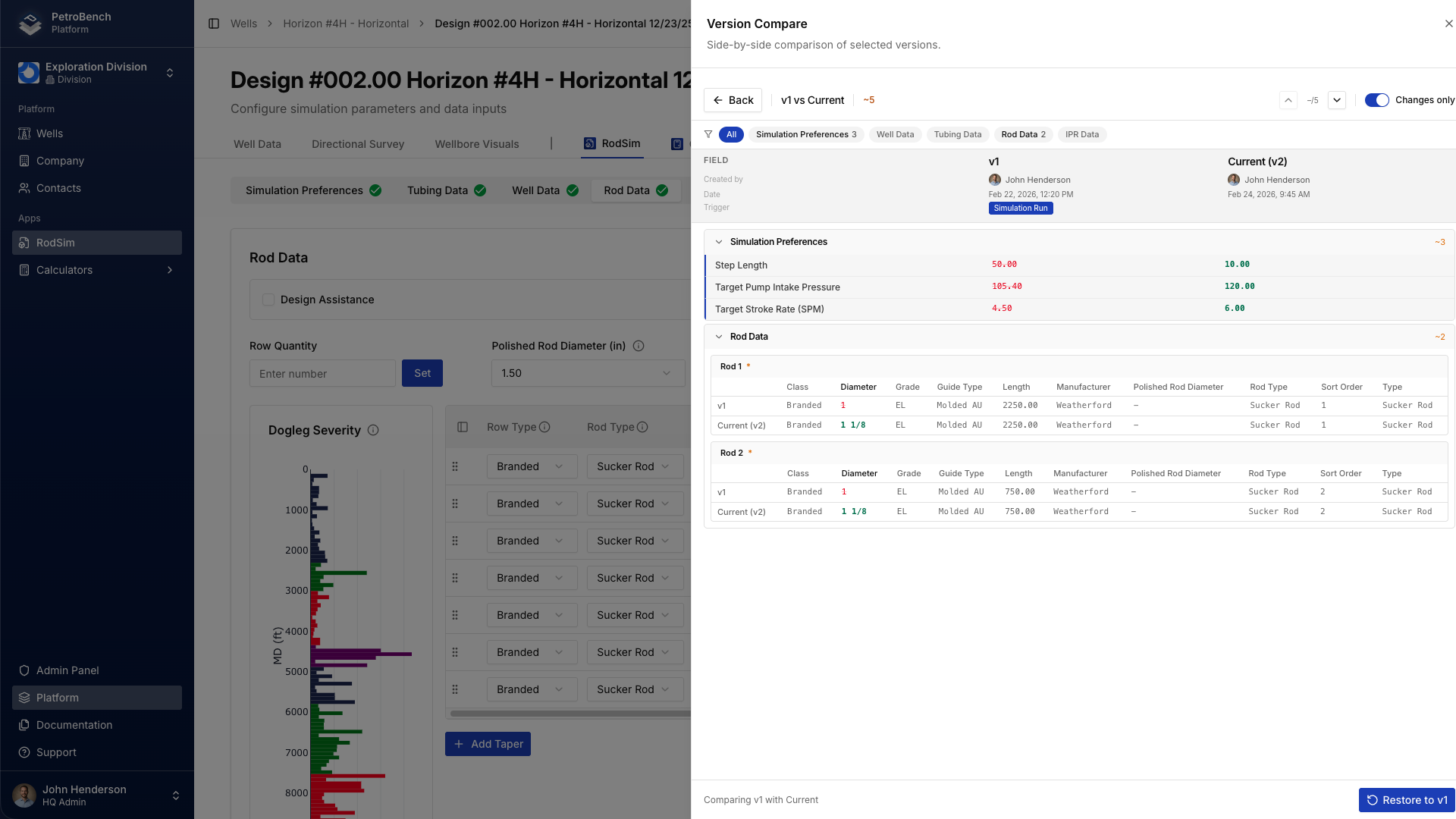
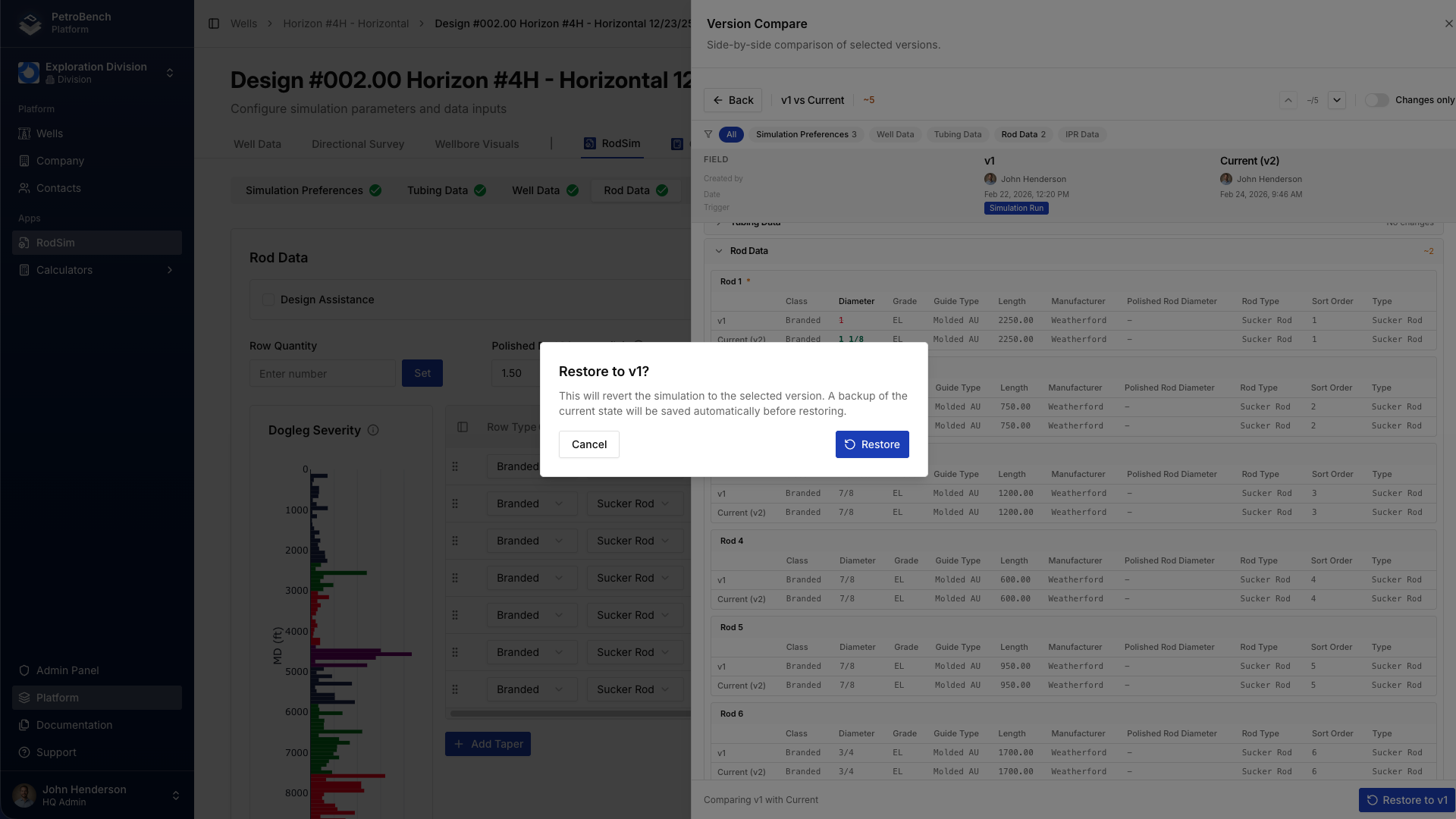
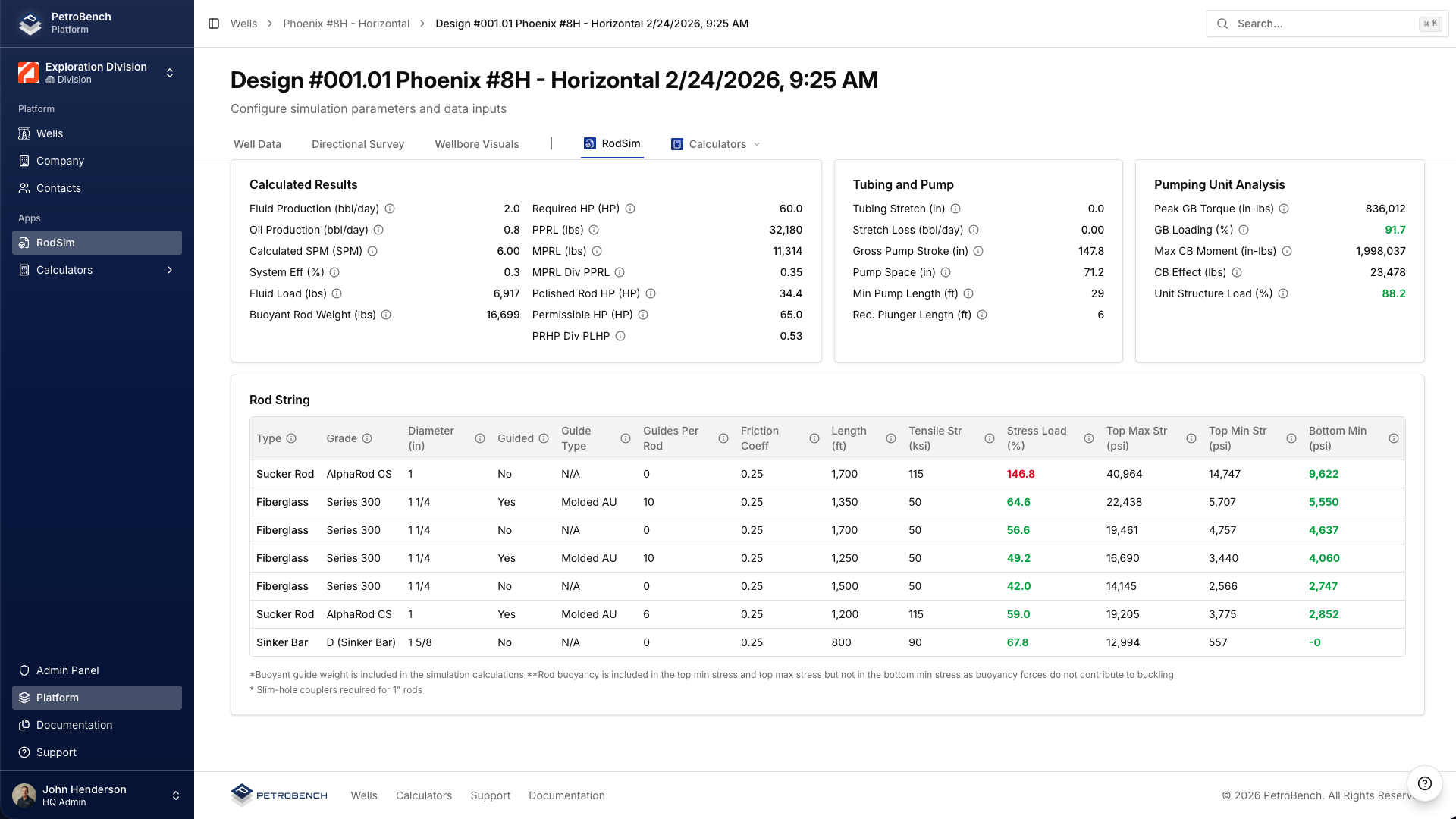
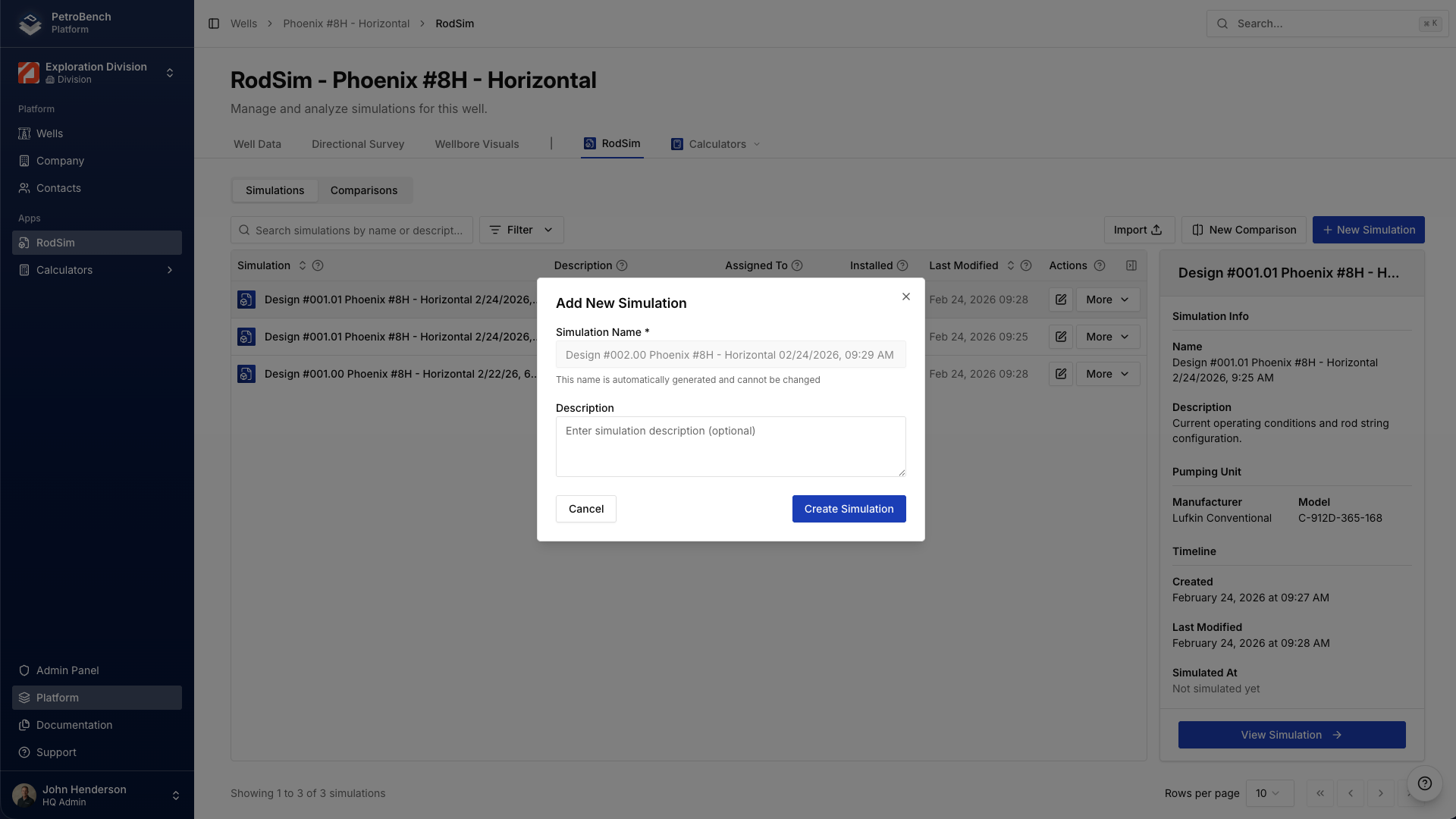
Every change to a simulation design is automatically versioned. Restore any previous state, compare versions side by side, and see exactly who changed what and when. No more overwriting a colleague's work or losing a configuration that performed better three iterations ago.
Simulation Comparisons
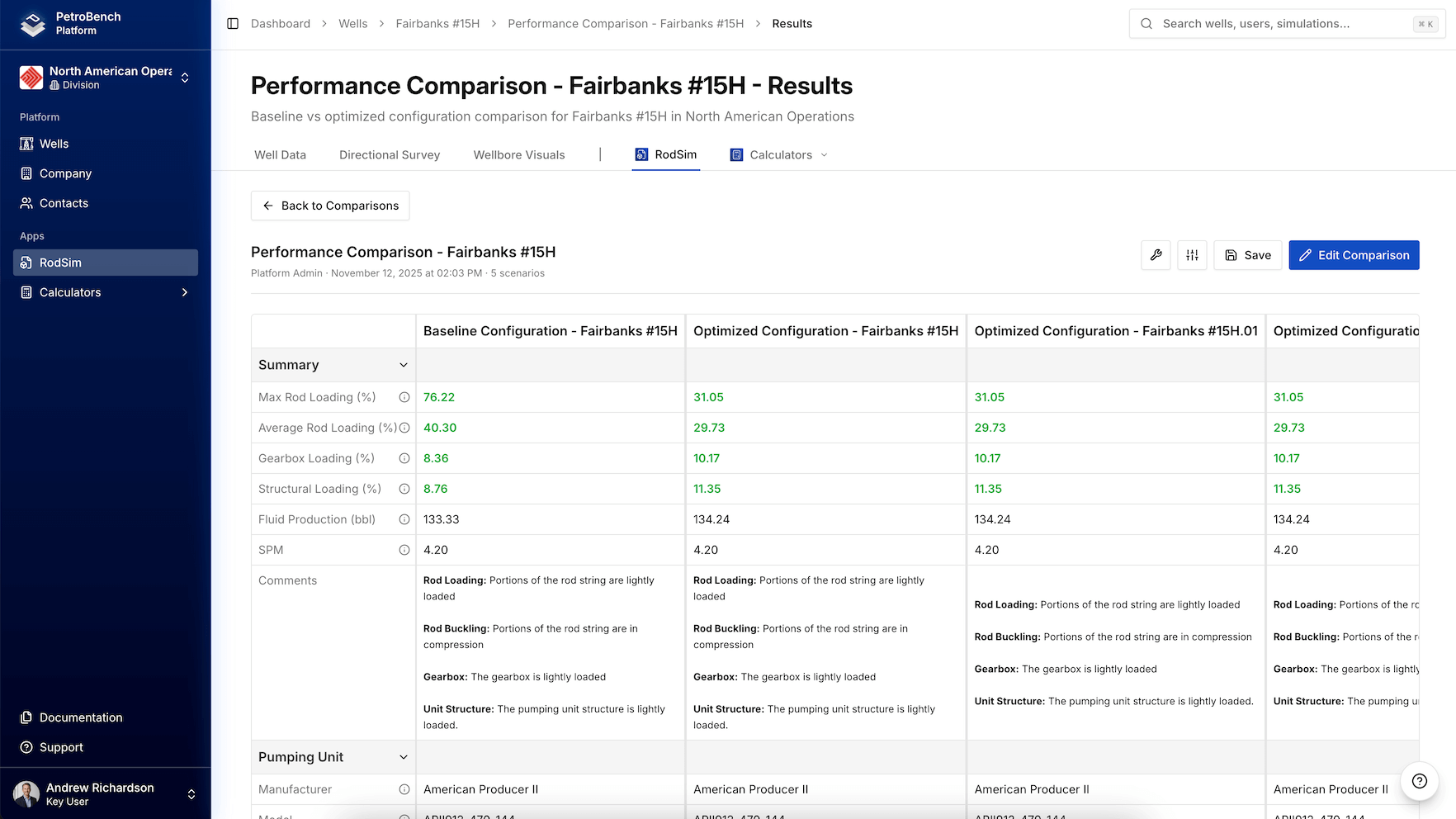
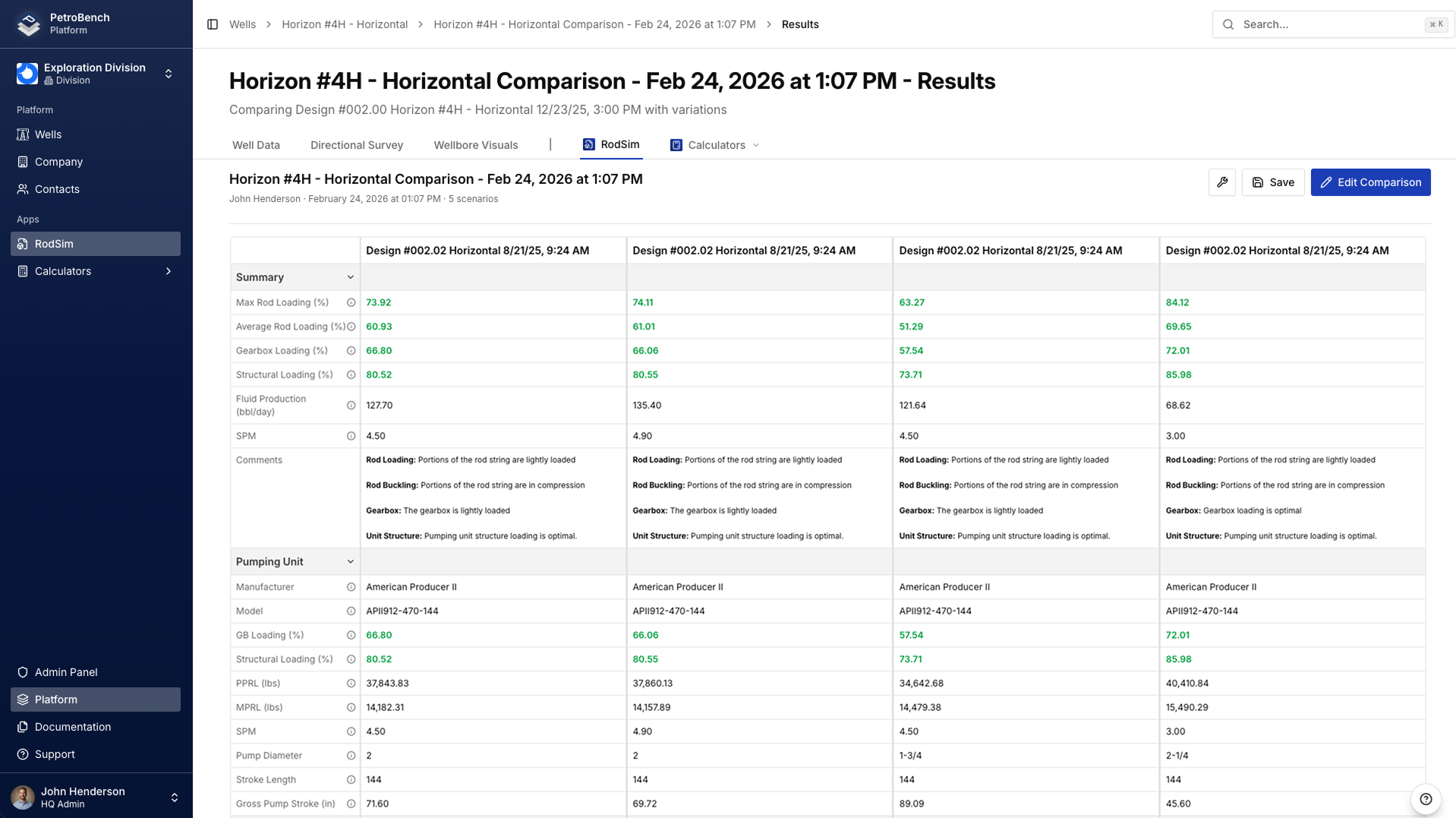
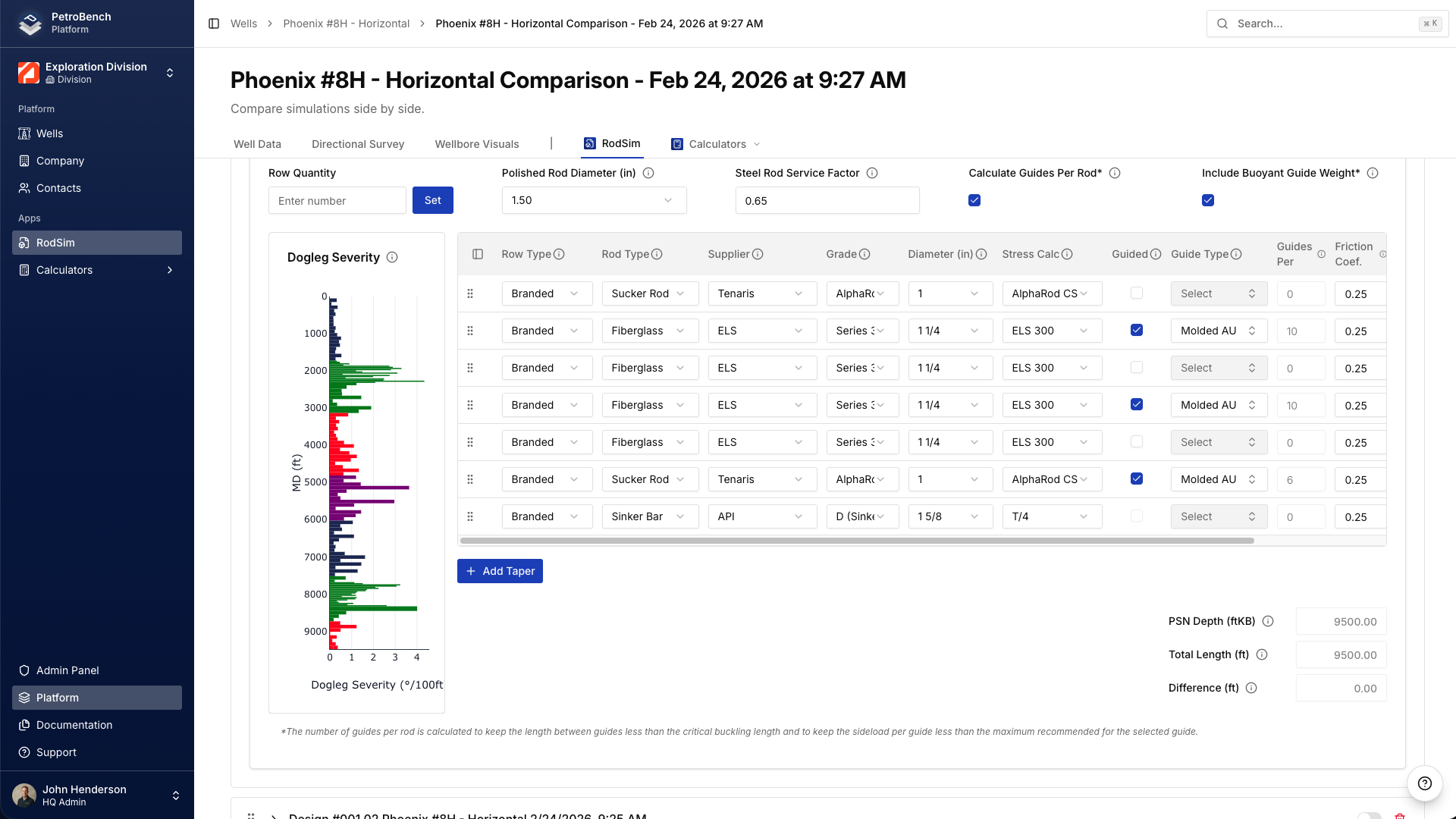
Quickly explore design sensitivities by comparing multiple simulations side by side.
Adjust speed, pumping unit, and rod string configurations across up to five designs, then review inputs and results in a single comparison view. From any design in the table, you can jump directly into that simulation, make further changes, or use it as the new base for an additional comparison.
This iterative flow lets engineers branch from a baseline, adjust key parameters, and build out a set of scenarios in minutes instead of manually recreating each configuration from scratch.
Custom Pumping Units & Rod Management
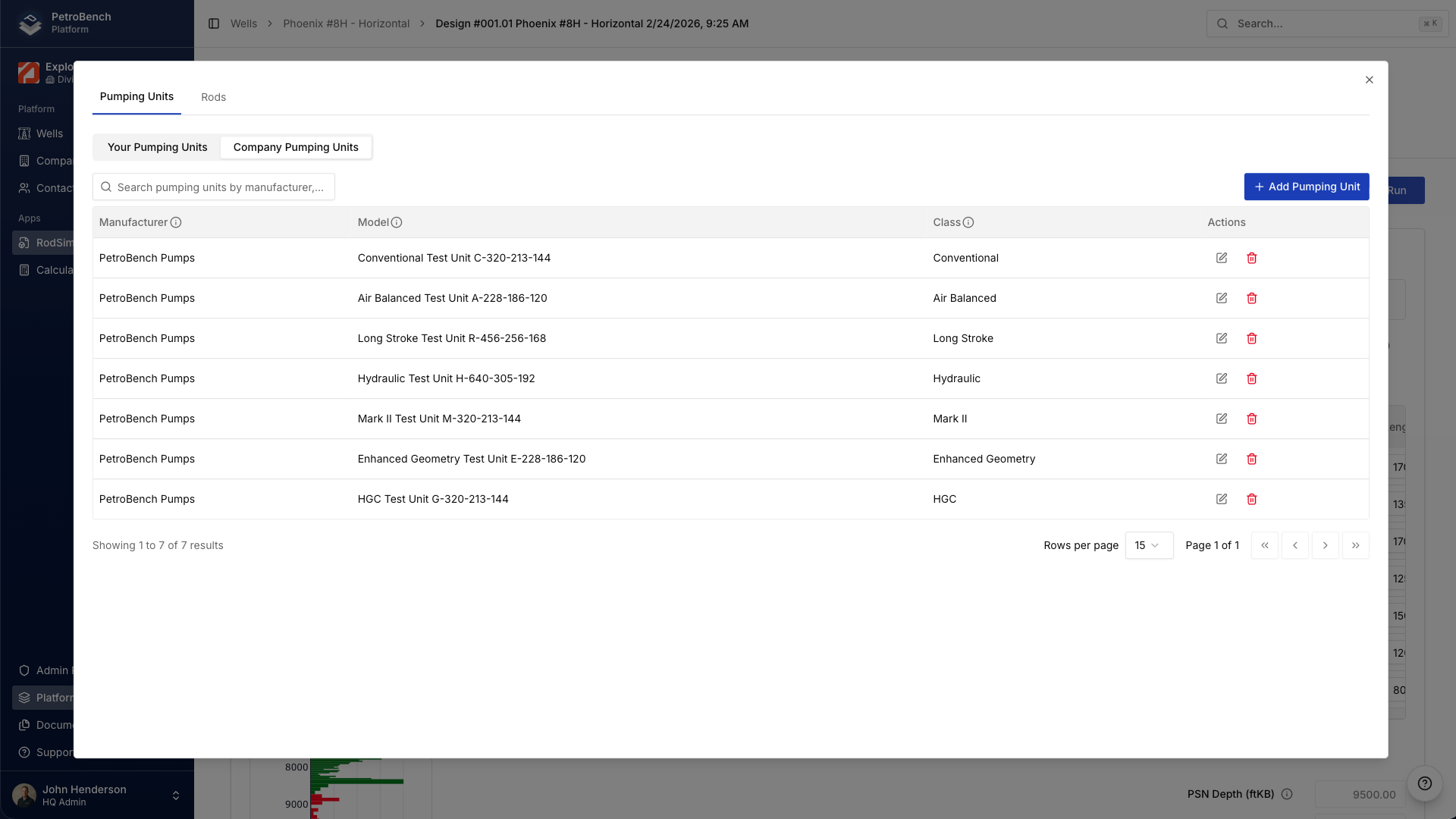
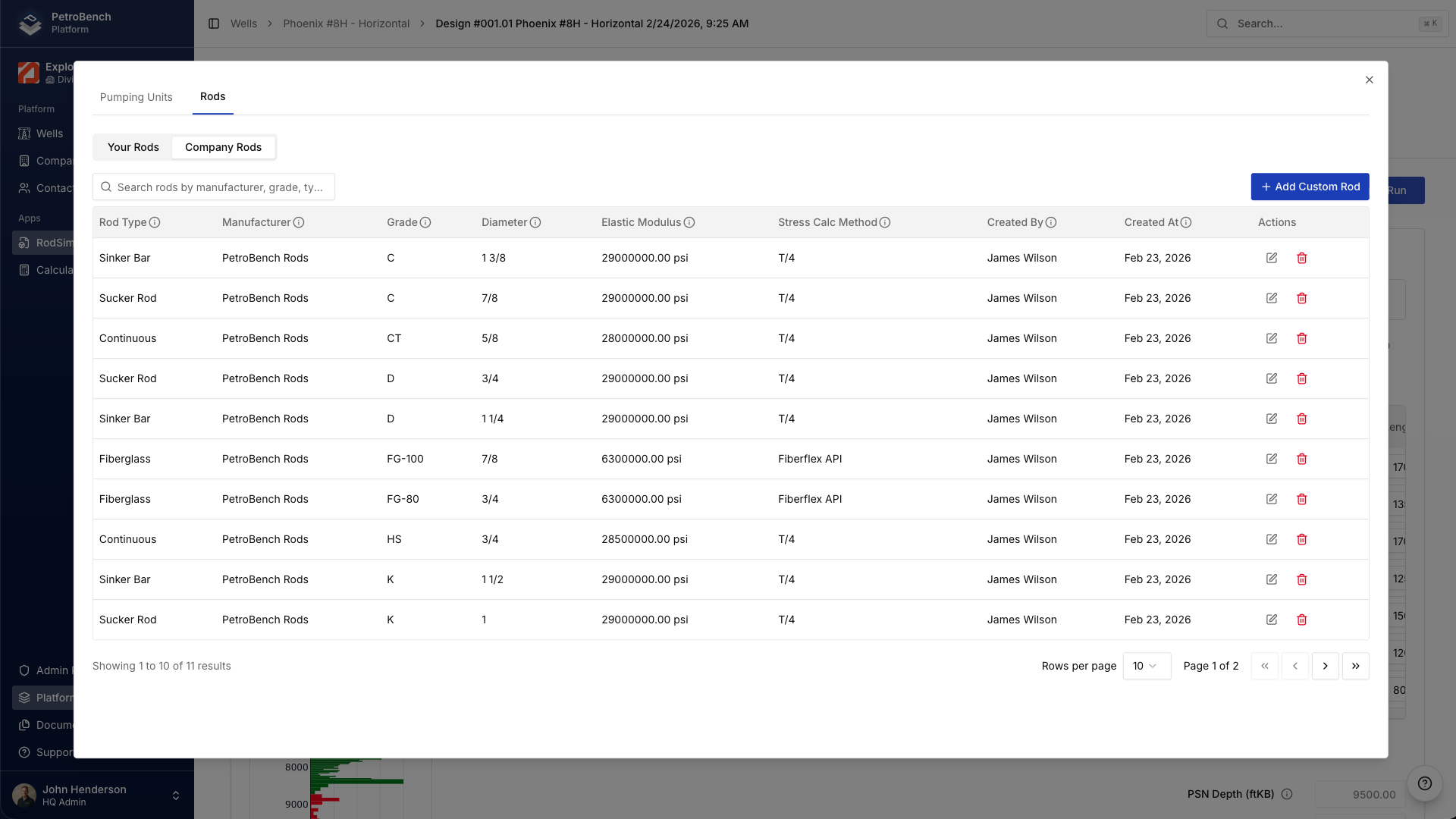
Create and manage custom pumping units and rod configurations within a centralized equipment library.
Custom equipment definitions can be used across the organization, ensuring teams are working from the same standardized specifications rather than maintaining separate local files.
Equipment catalogs are structured at the division level and inherited by regions, supporting consistency across the organization while allowing appropriate administrative control.
Reusable equipment definitions reduce duplication and keep engineering data aligned across teams.
Professional PDF Reporting
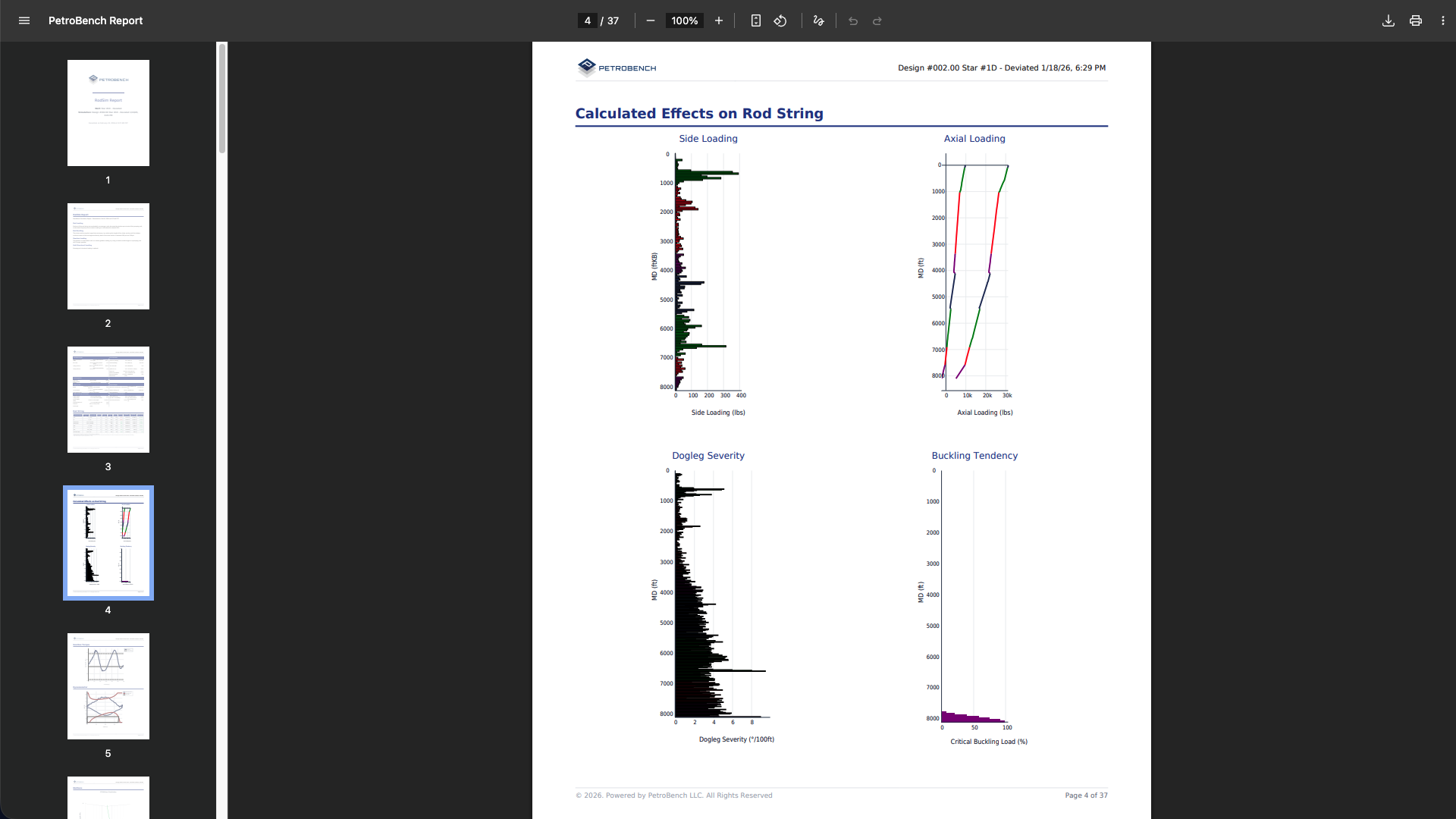
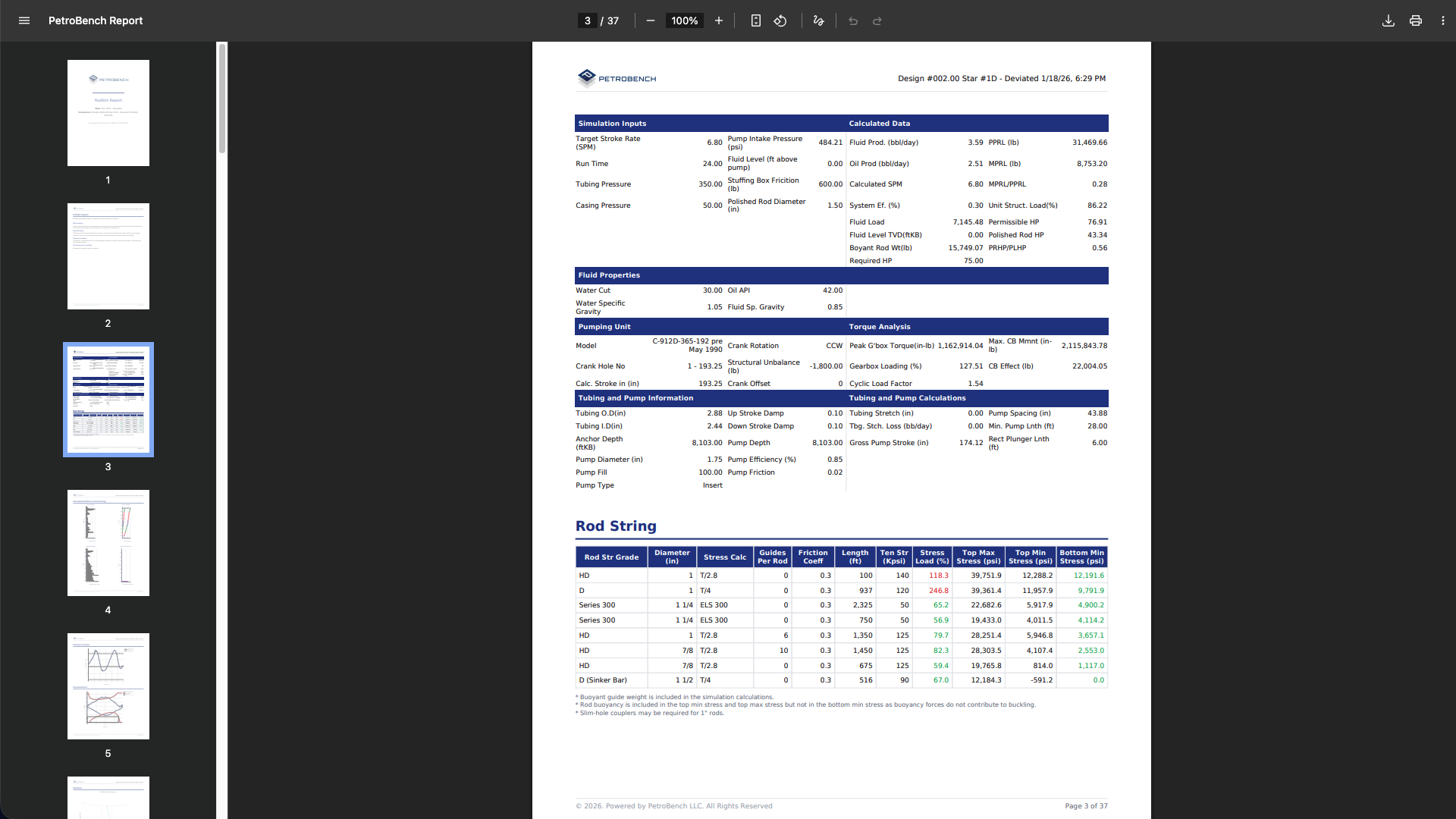
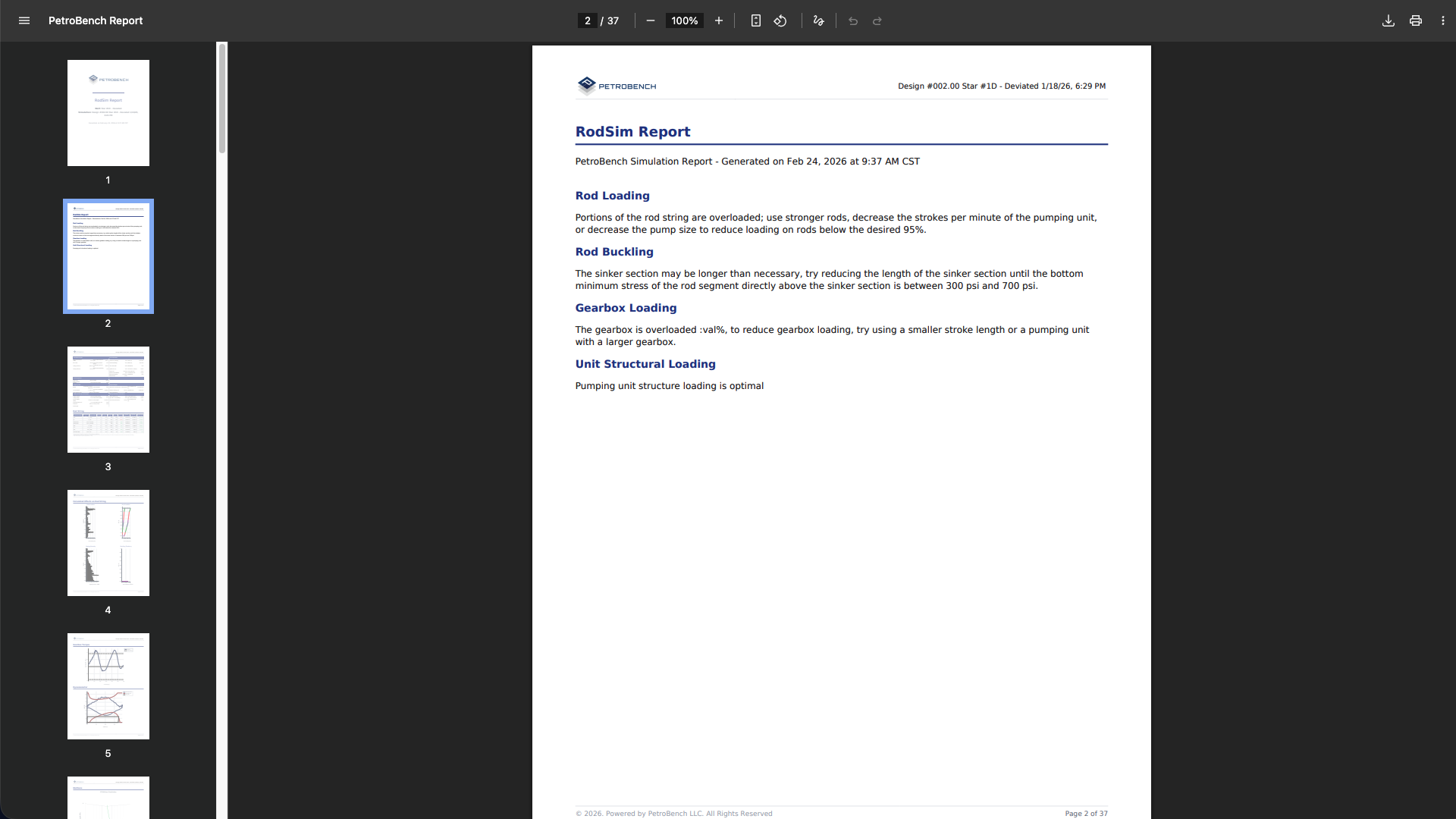
Redesigned report templates with cleaner layouts and more detail. Simulation results and rod string analysis export as professional PDFs ready for clients and management.
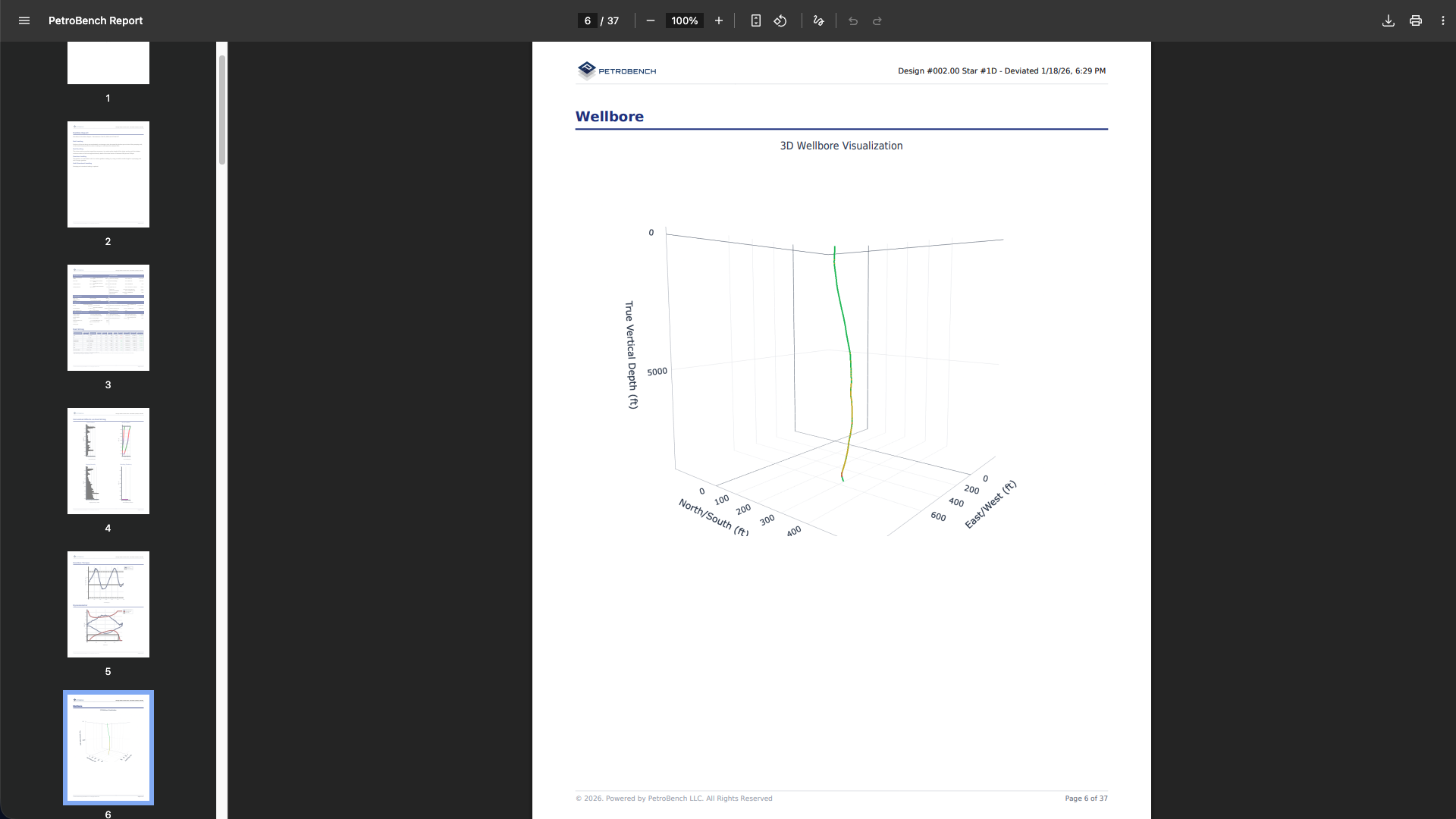
3D Wellbore Visualization
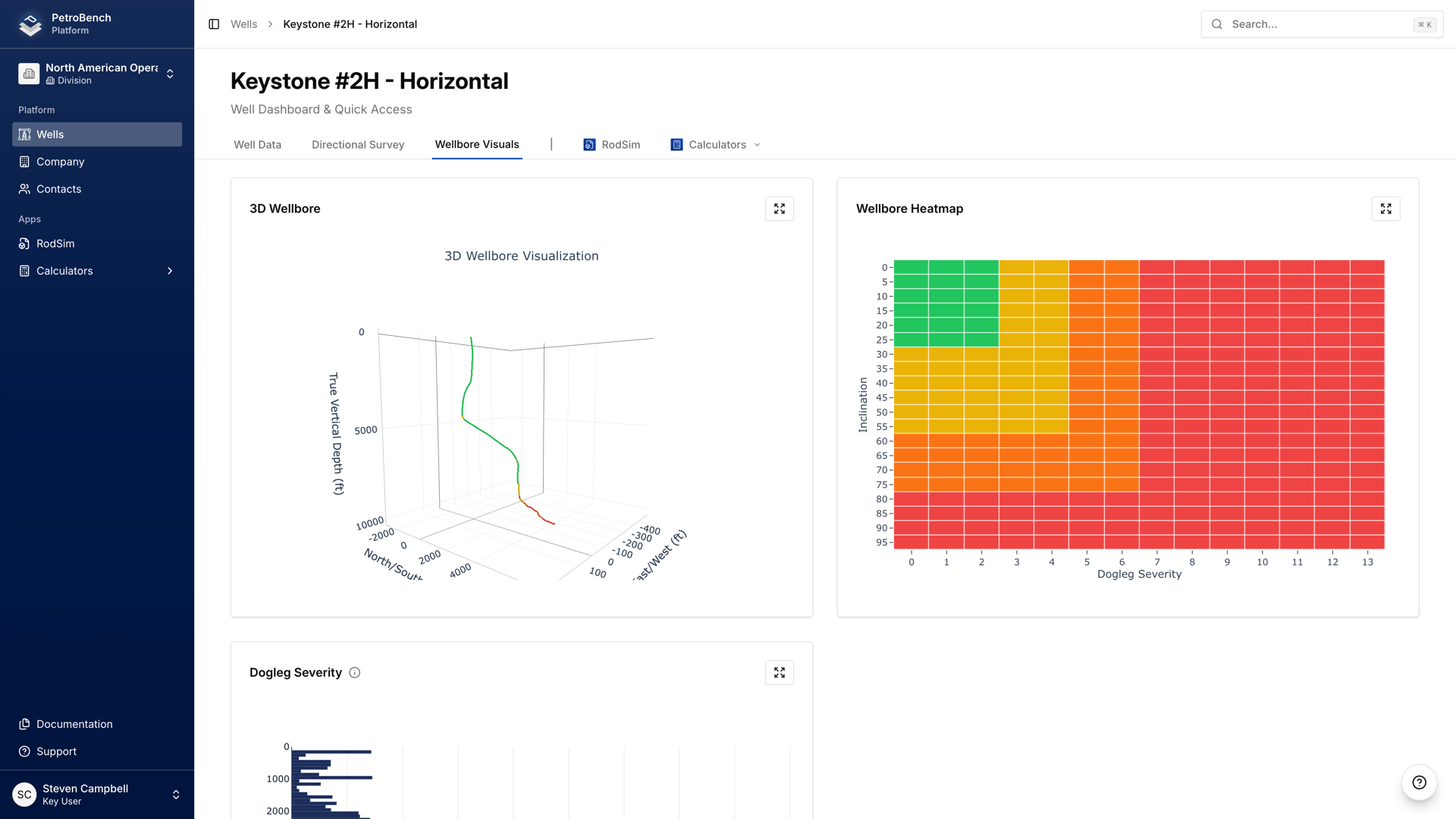
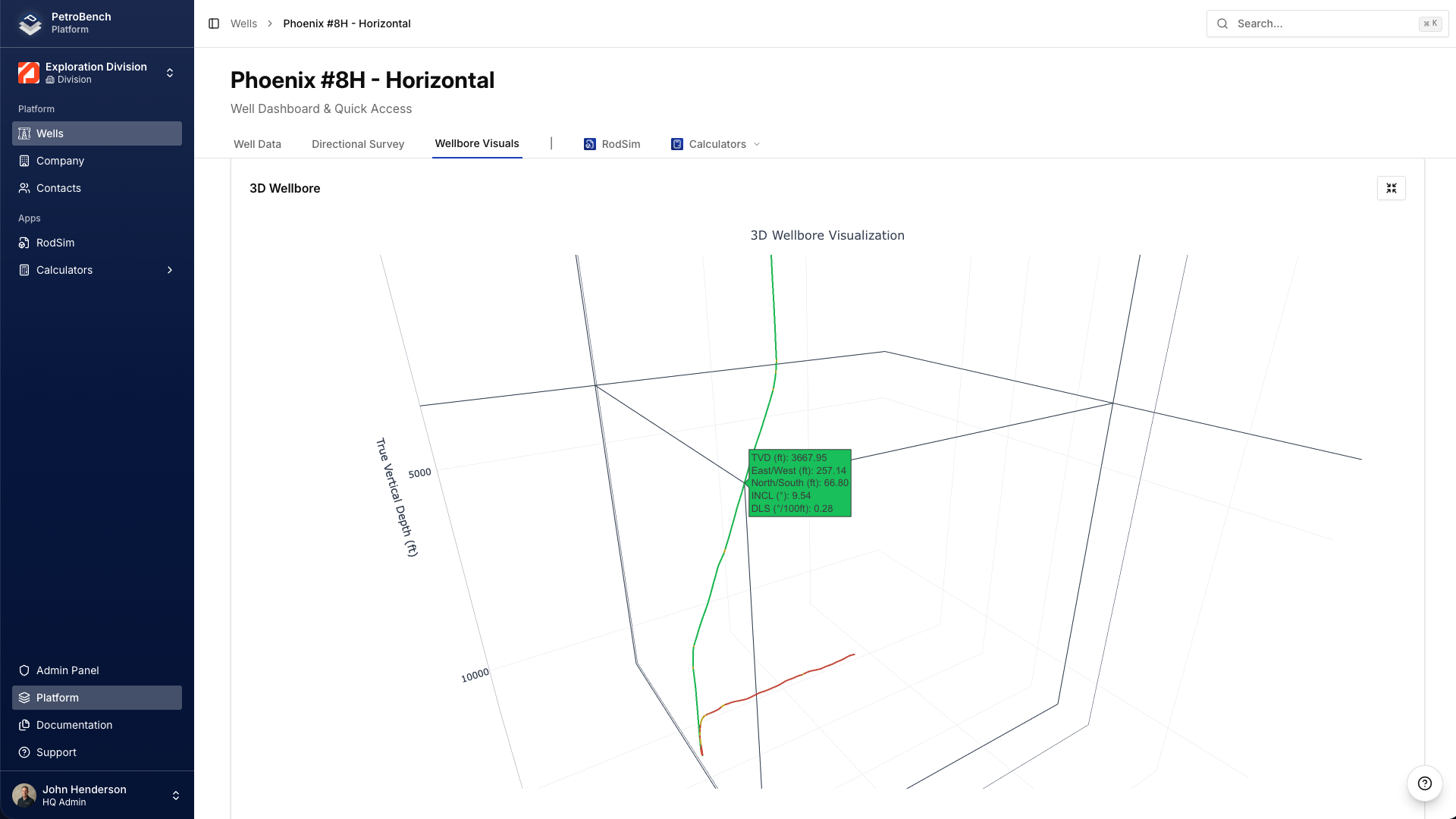
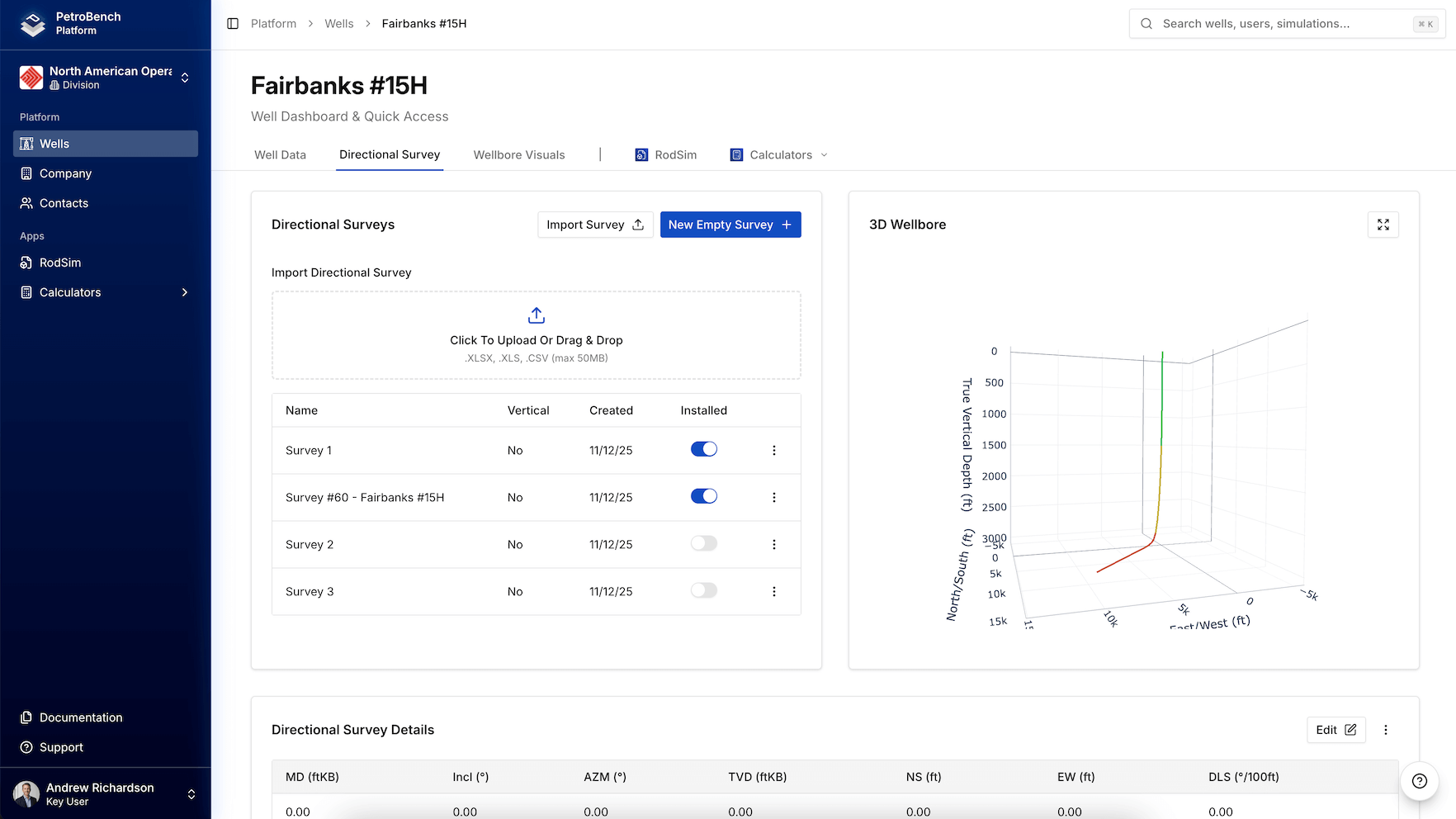
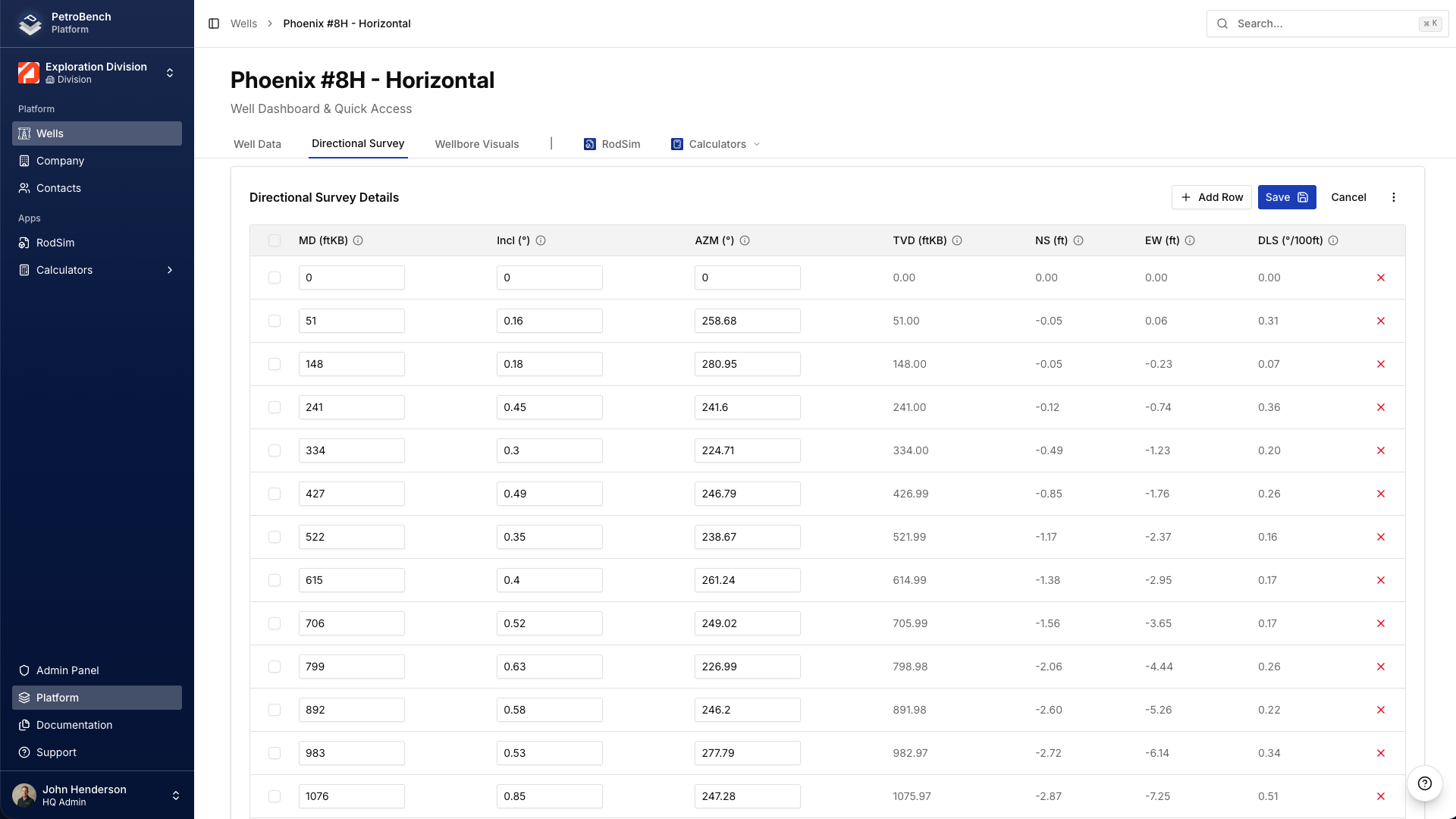
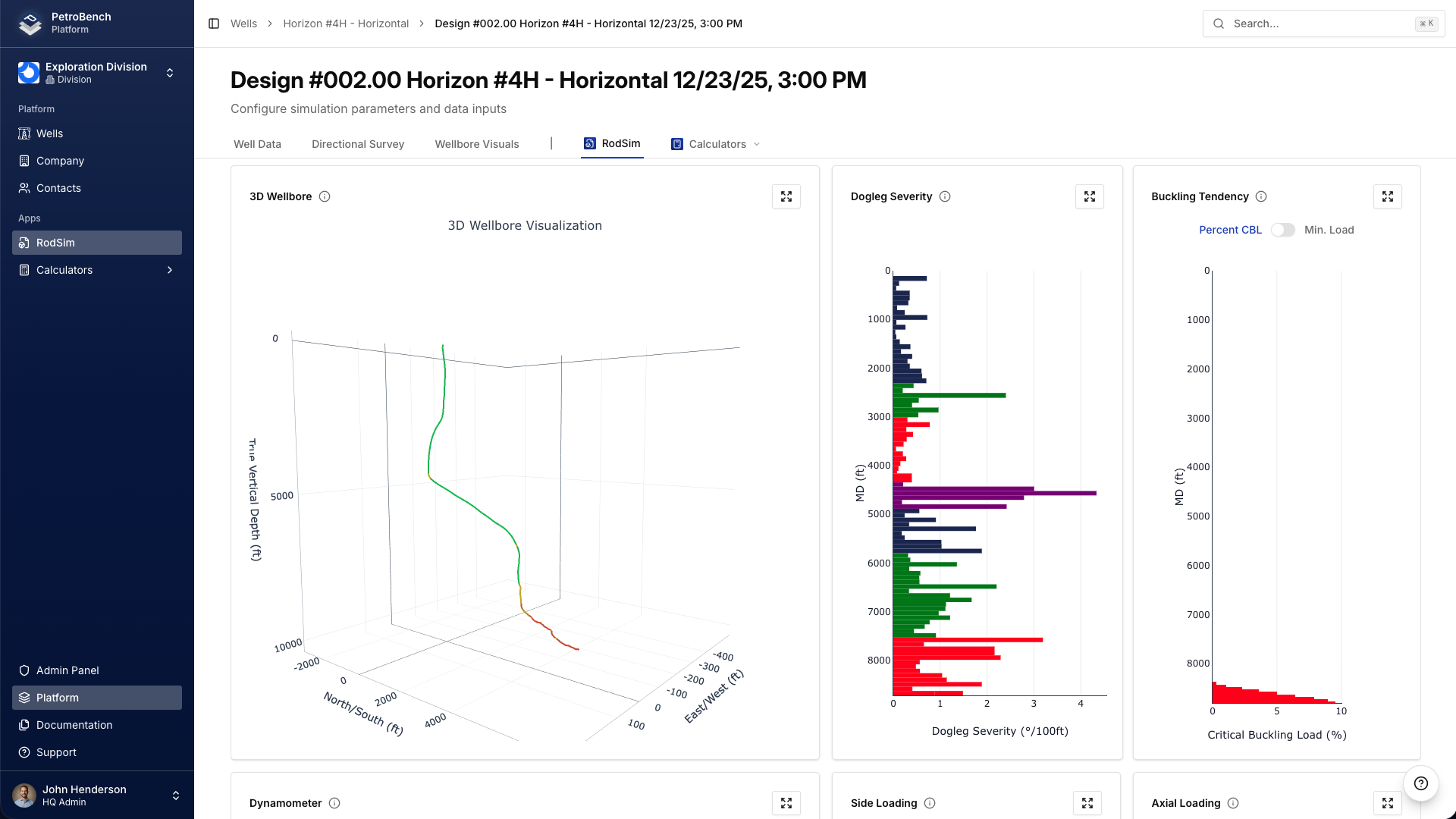
Import directional survey data and render the complete wellbore trajectory in interactive 3D.
Measured depth, inclination, azimuth, and dogleg severity can be inspected at any point along the path. A color-coded heatmap highlights variations along the wellbore, while the dogleg severity graph provides a clear visual reference of curvature across measured depth.
Engineers can evaluate trajectory geometry directly within the platform without relying on external tools or static plots.
Want to see V2 in action?
Schedule a walkthrough with our team or reach out directly.
Platform
Everything surrounding the simulation workflow has been rebuilt to support global teams at scale. Here is what changed across the interface, unit systems, language support, organization management, access controls, integrations, and onboarding.
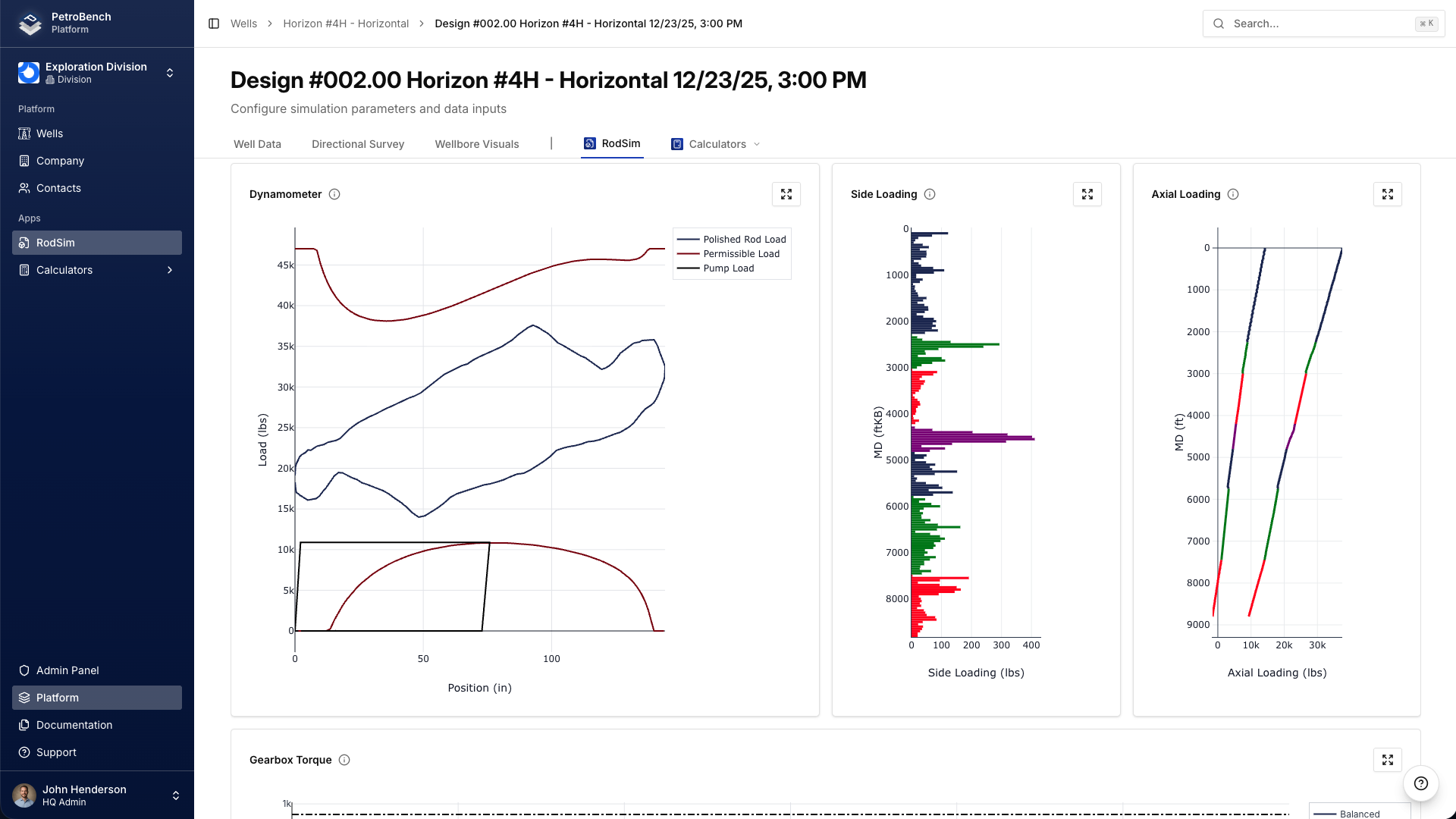
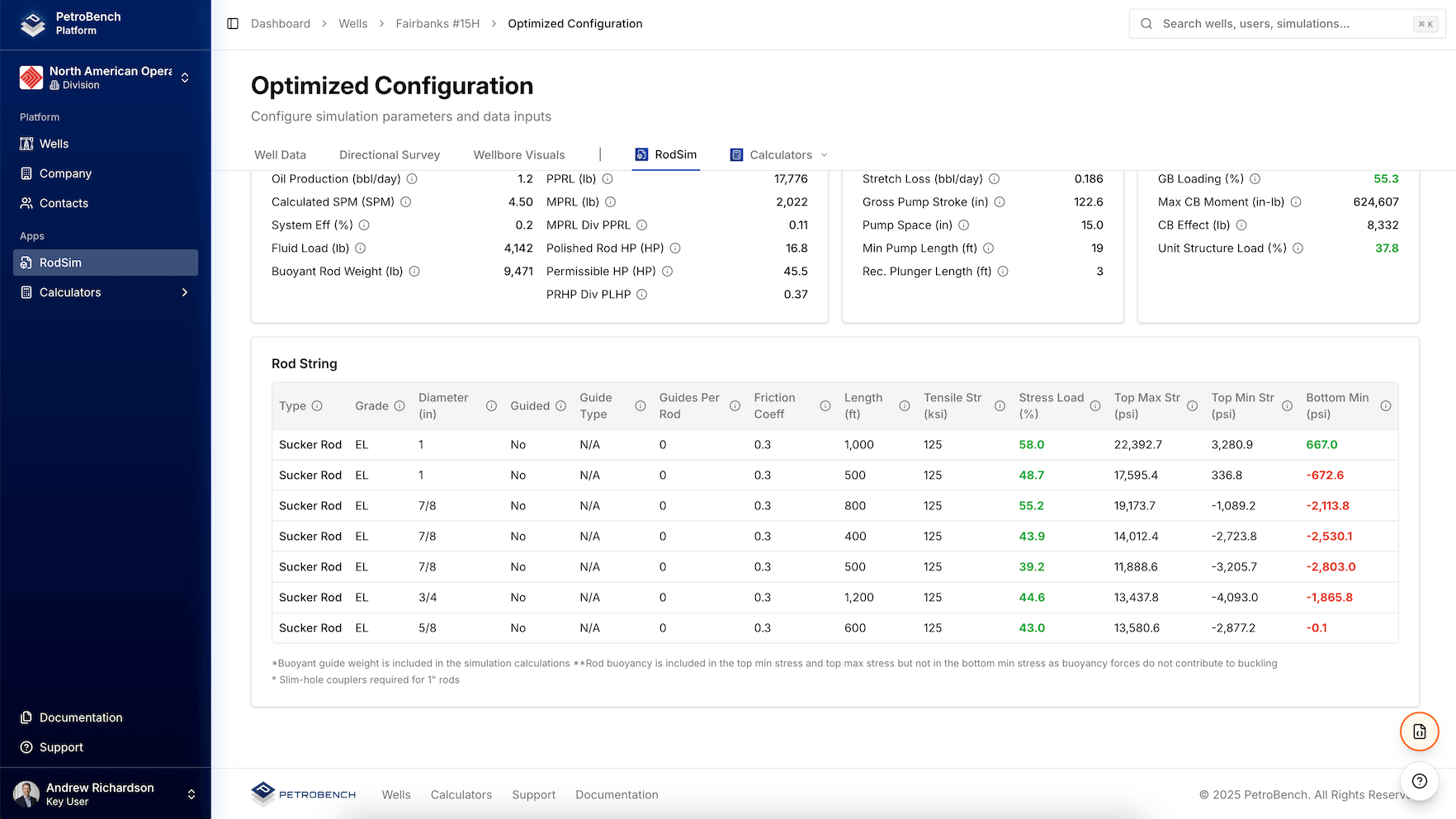
Redesigned for Clarity and Performance
V2 refines every major workflow across the platform.
Simulation setup requires fewer steps. Navigation is more structured. Results are easier to interpret and compare. The interface has been streamlined to reduce friction without sacrificing engineering depth.
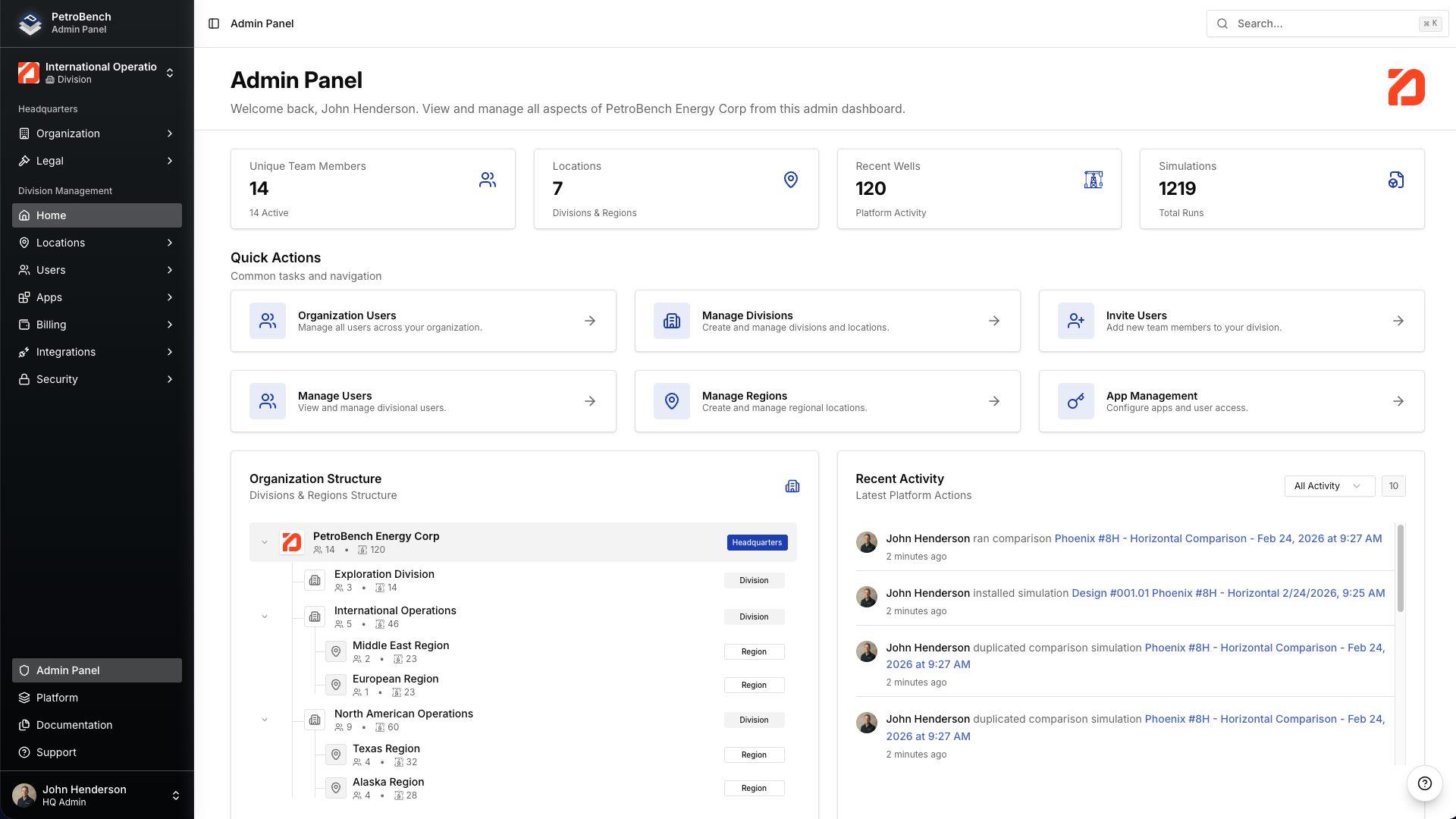
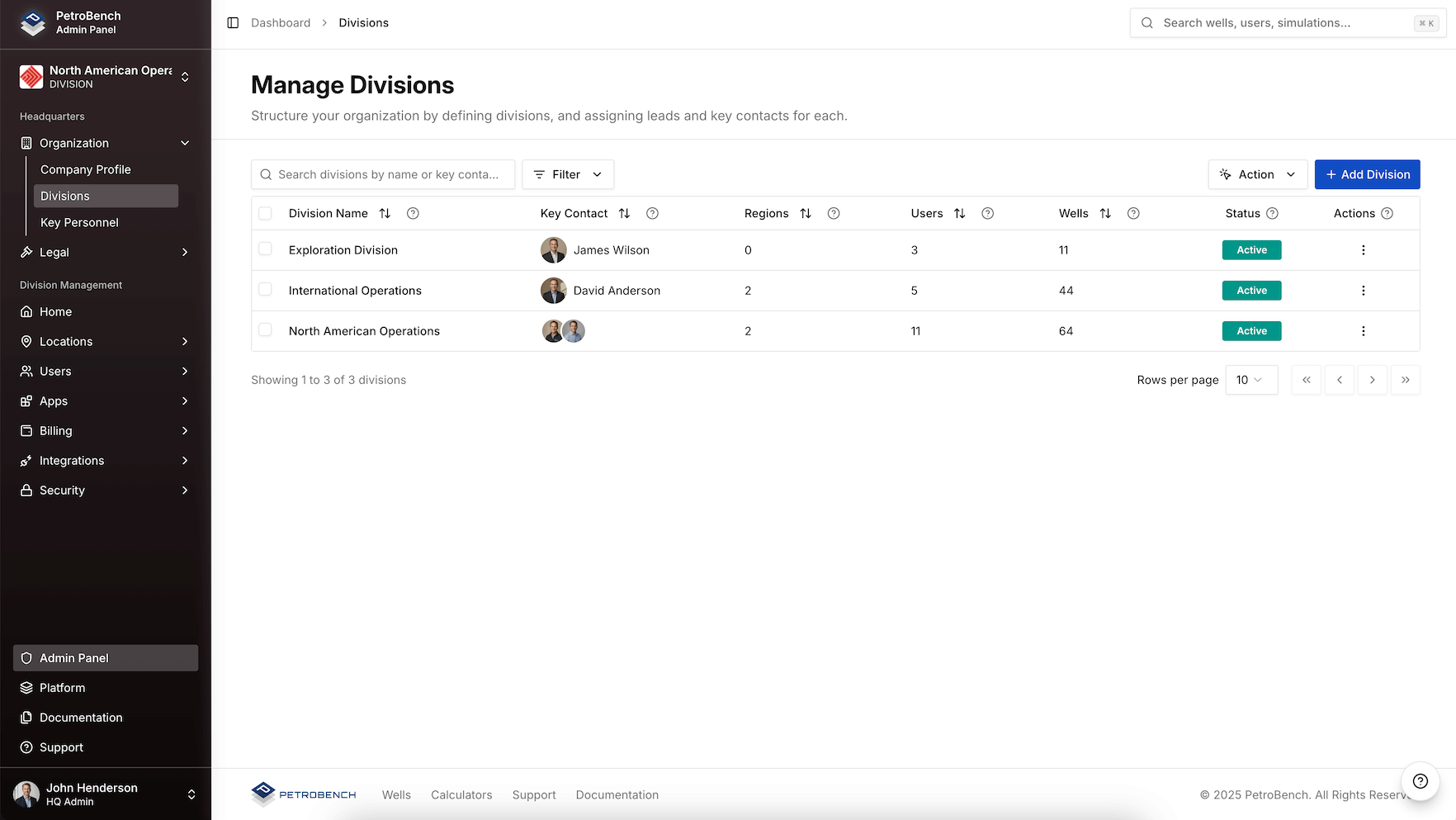
The administrative console has also been reorganized to reflect real-world enterprise structures, giving managers and administrators clearer visibility into users, wells, and activity across divisions and regions.
The result is a more disciplined, more consistent operating environment for engineering teams at scale.
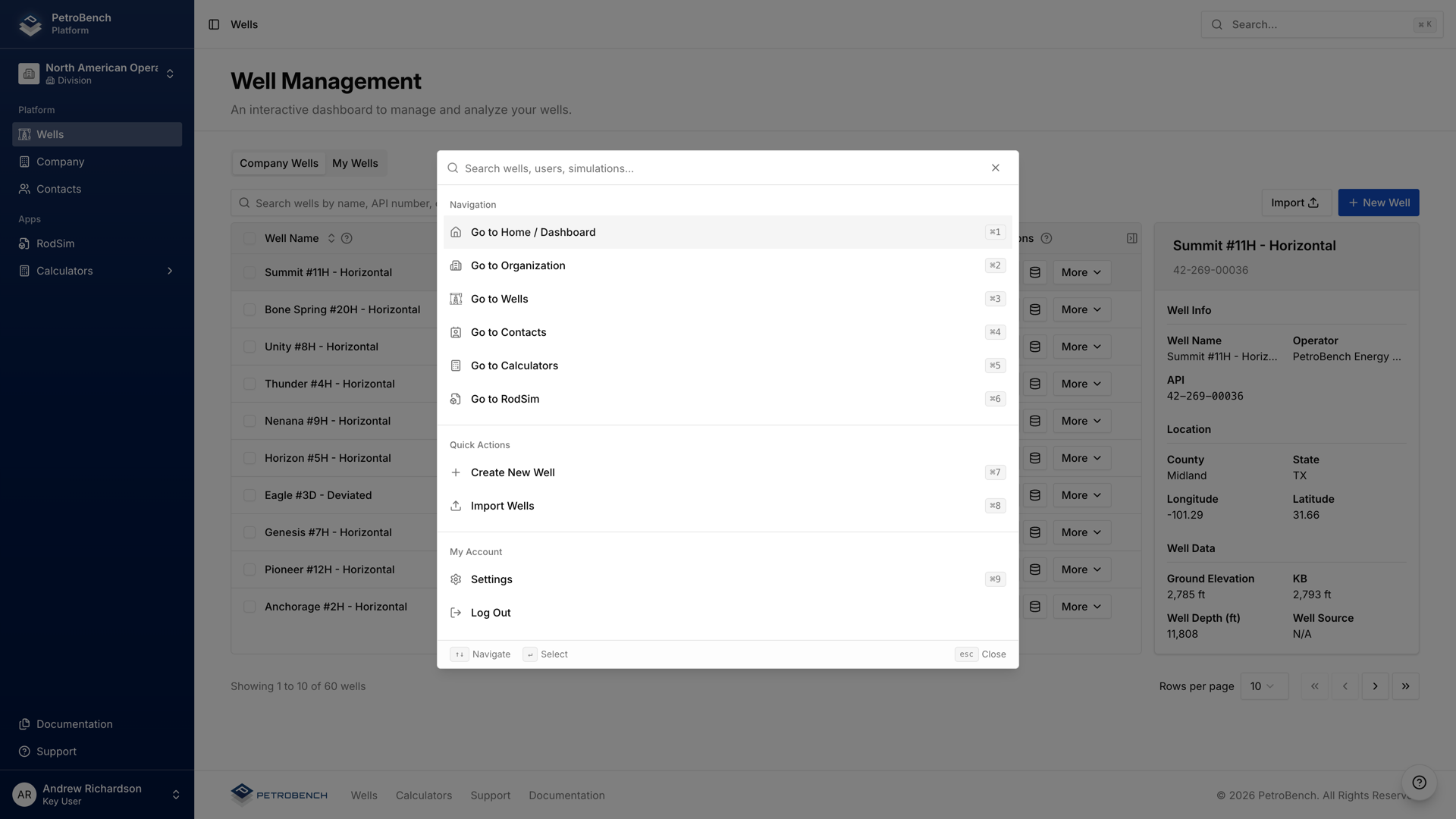
Global Unit Systems
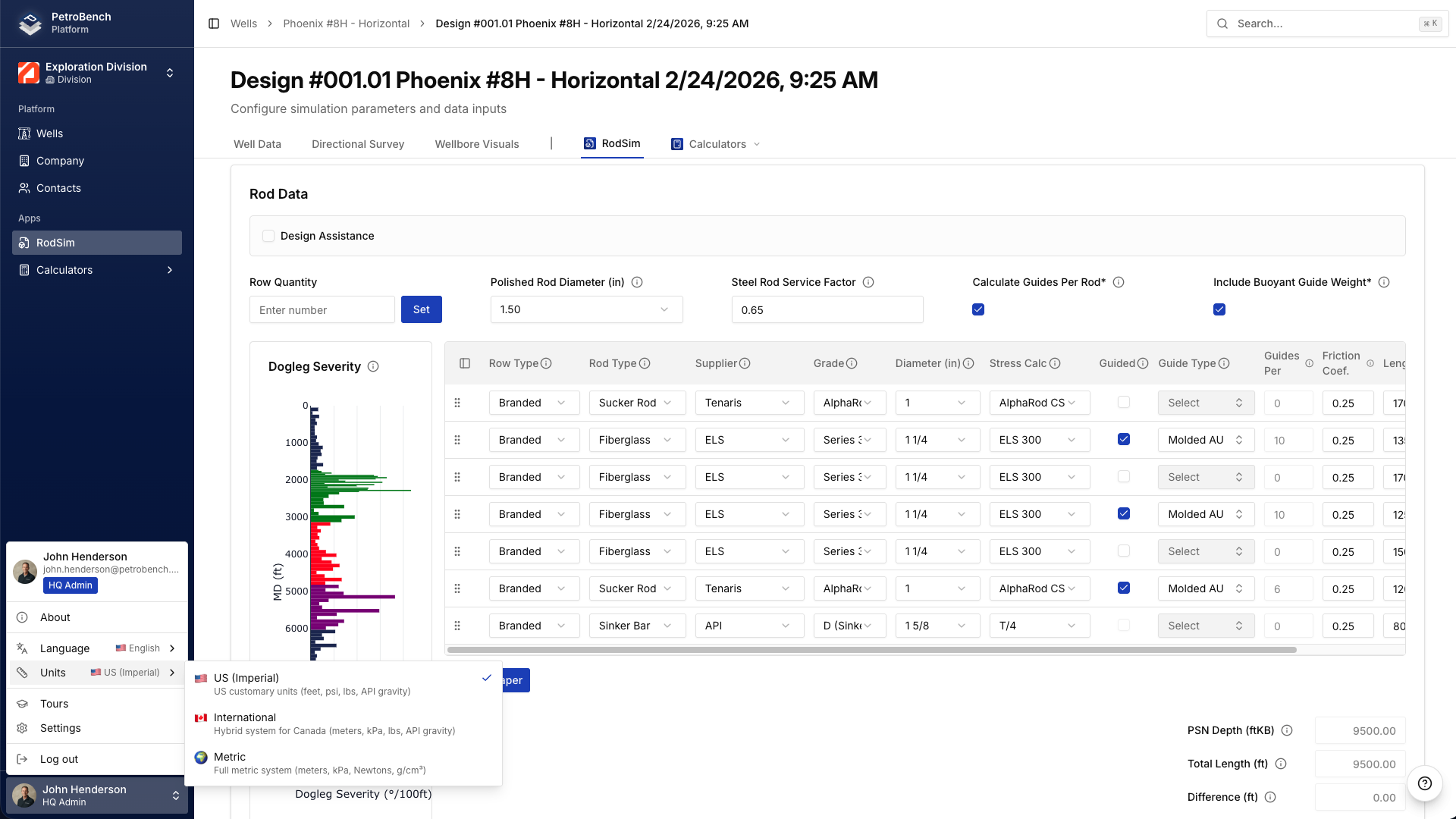
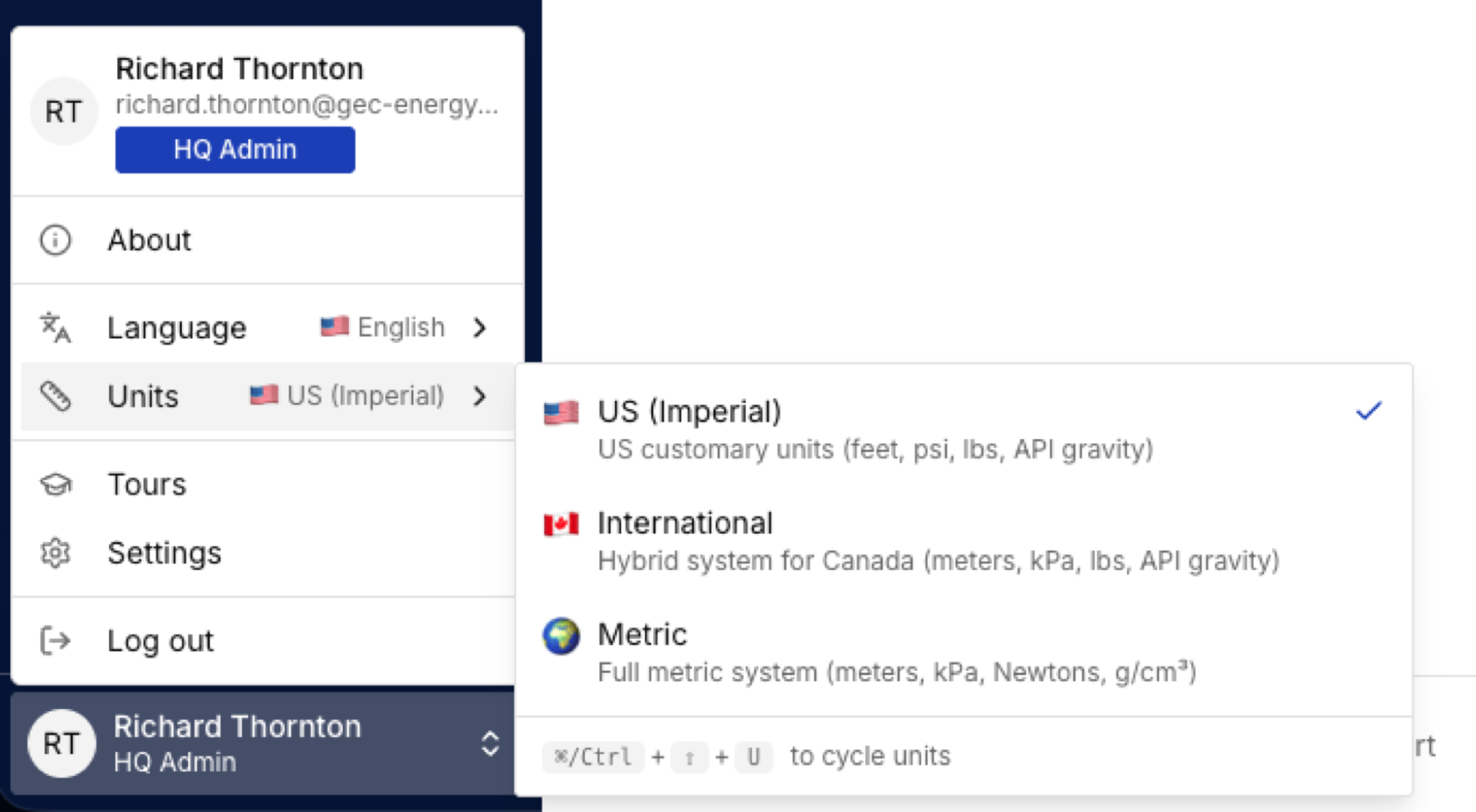
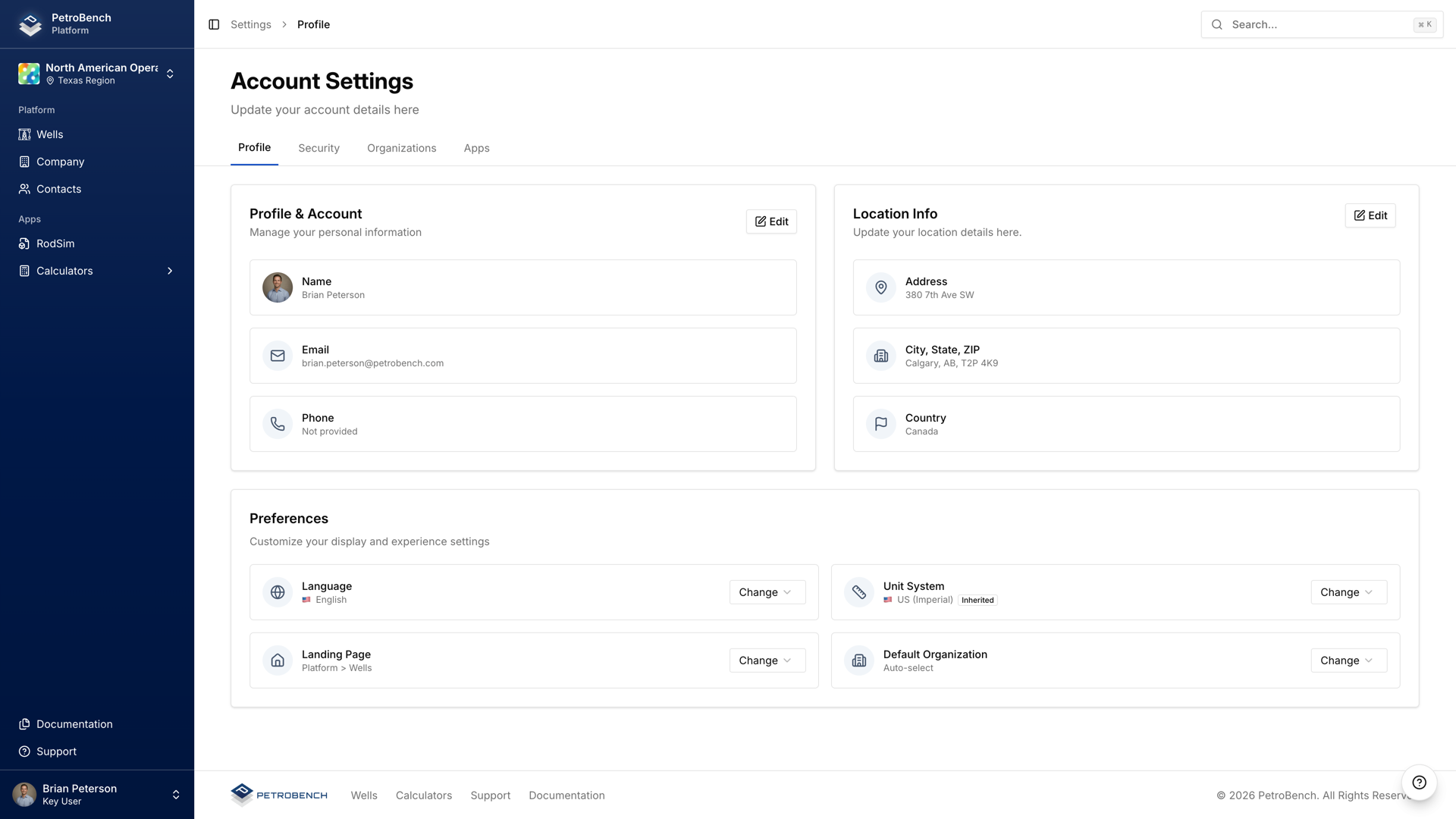
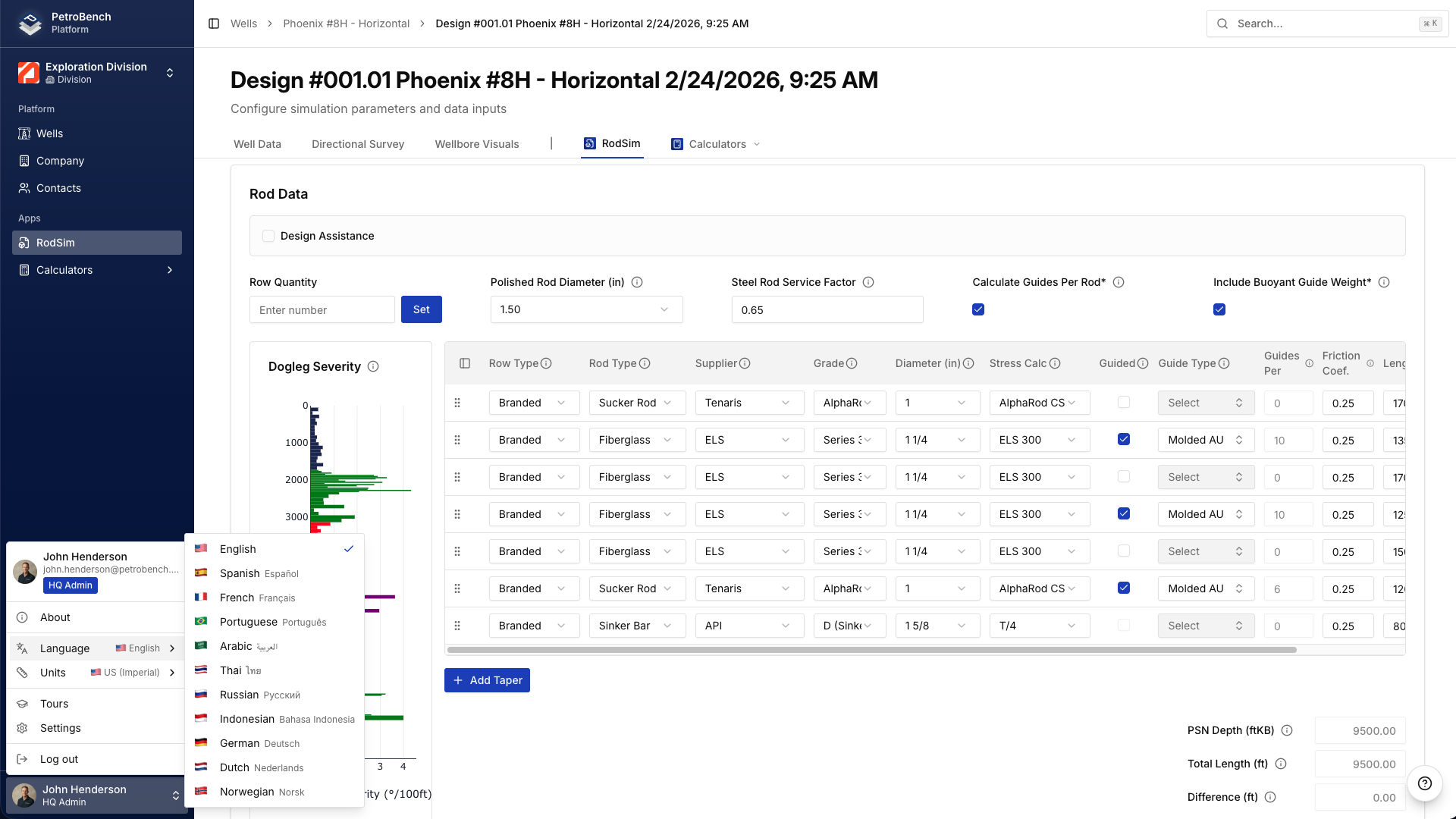
The platform supports metric, imperial, and international unit systems with per-user preferences. An engineer in Houston sees feet and psi while their counterpart in Abu Dhabi sees meters and kPa, all on the same simulation. Unit preferences are saved per user and applied consistently across wells, simulations, and reports.
Multi-Language Support
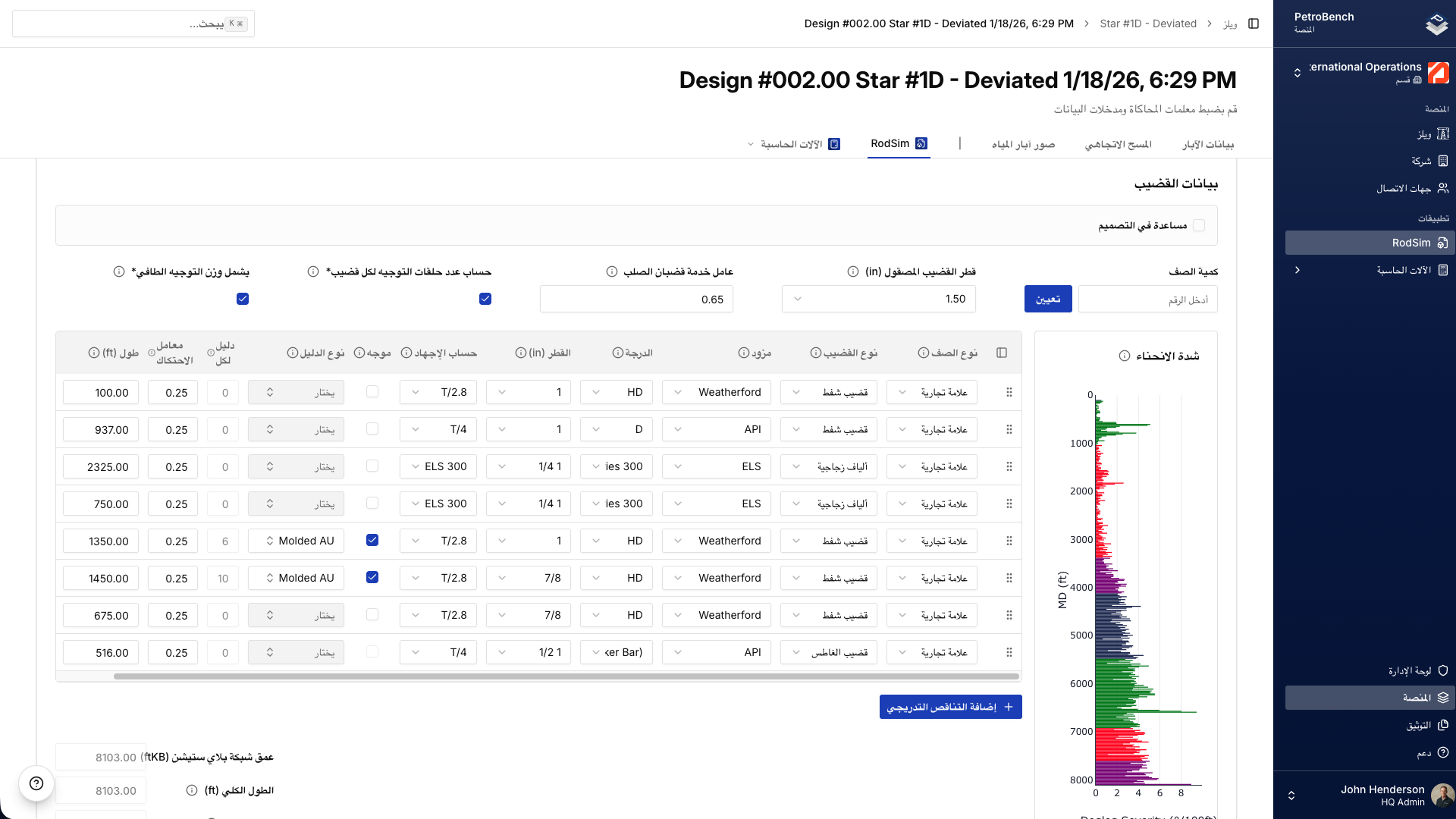
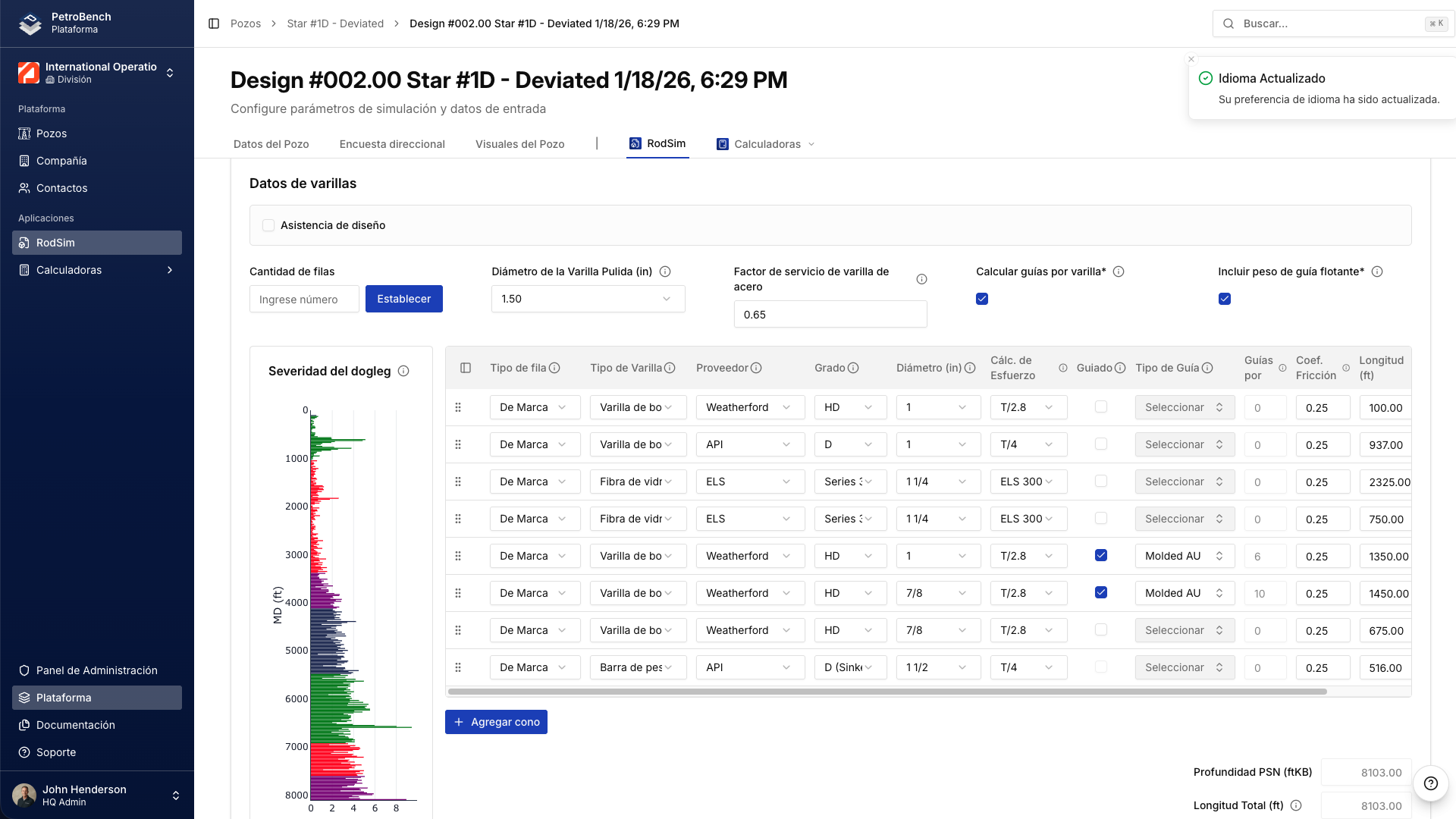
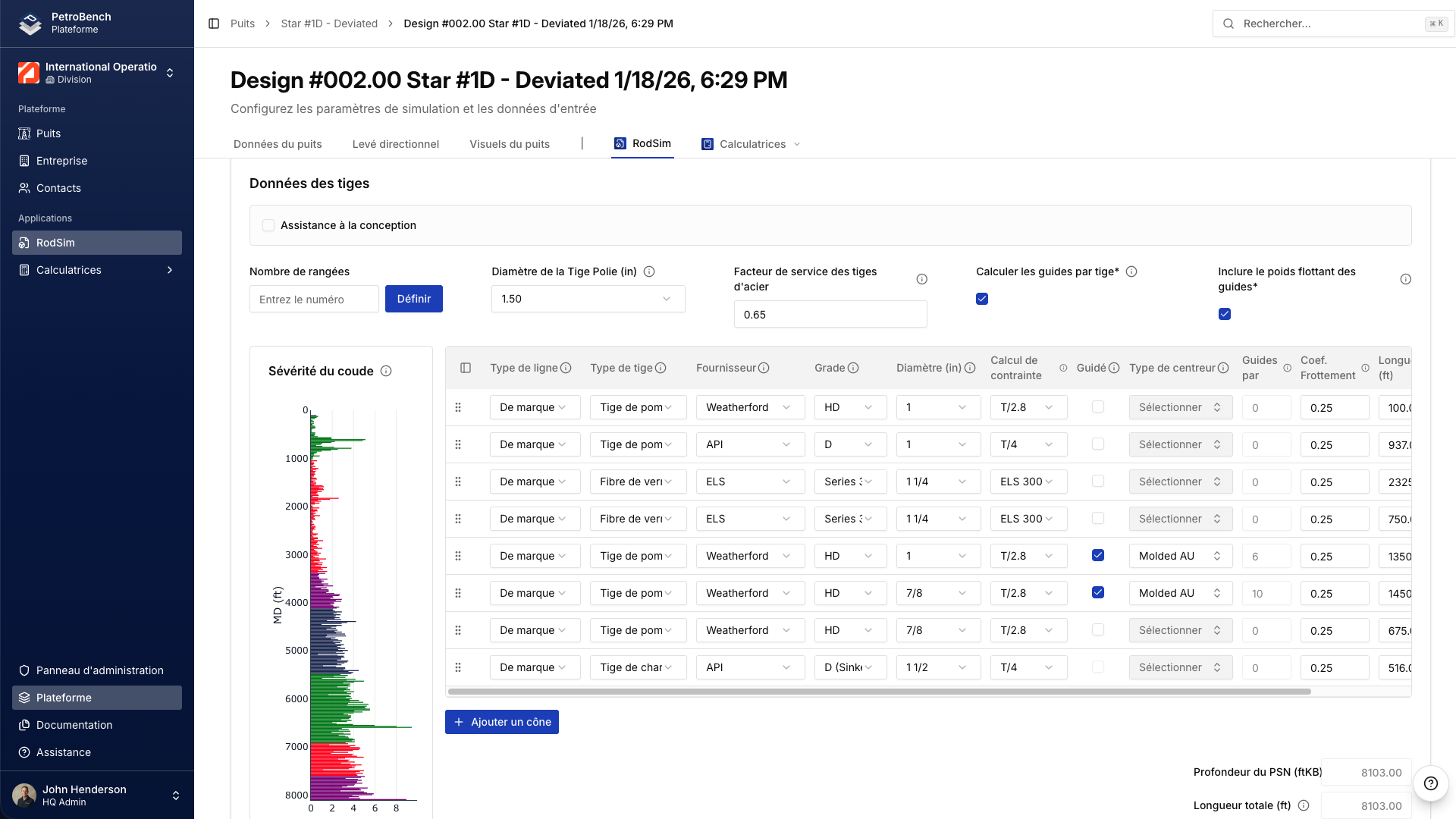
The entire platform is available in 10+ languages, including English, Spanish, French, German, Portuguese, Arabic, and Russian.
Full right-to-left support is available for Arabic, along with region-specific date formats, number formatting, and localized interface elements.
Teams across divisions and regions can collaborate within a single structured system while working in the language and formatting conventions native to their location.
Enterprise Organization Structure
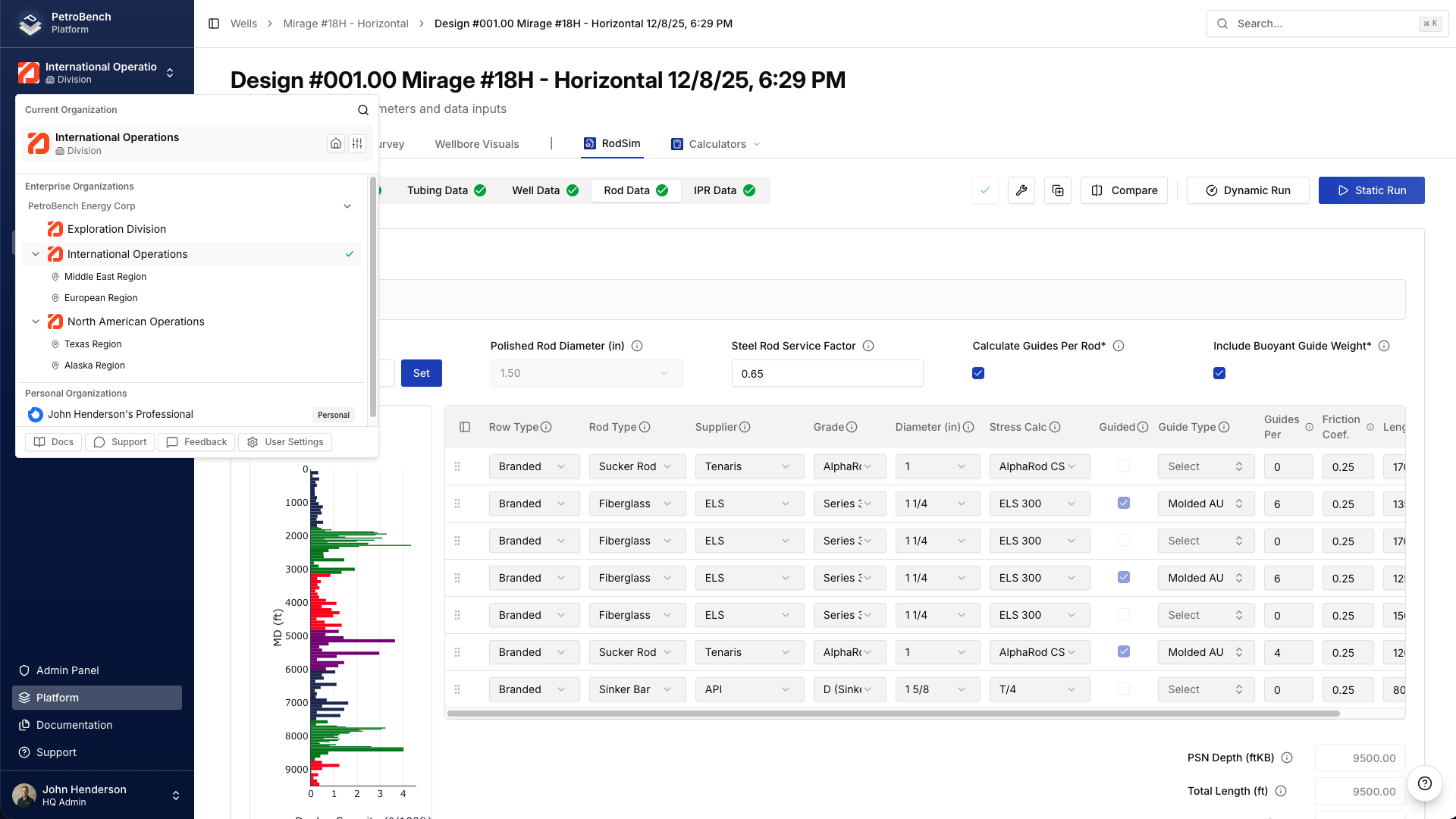
Built to reflect how operators structure their organizations.
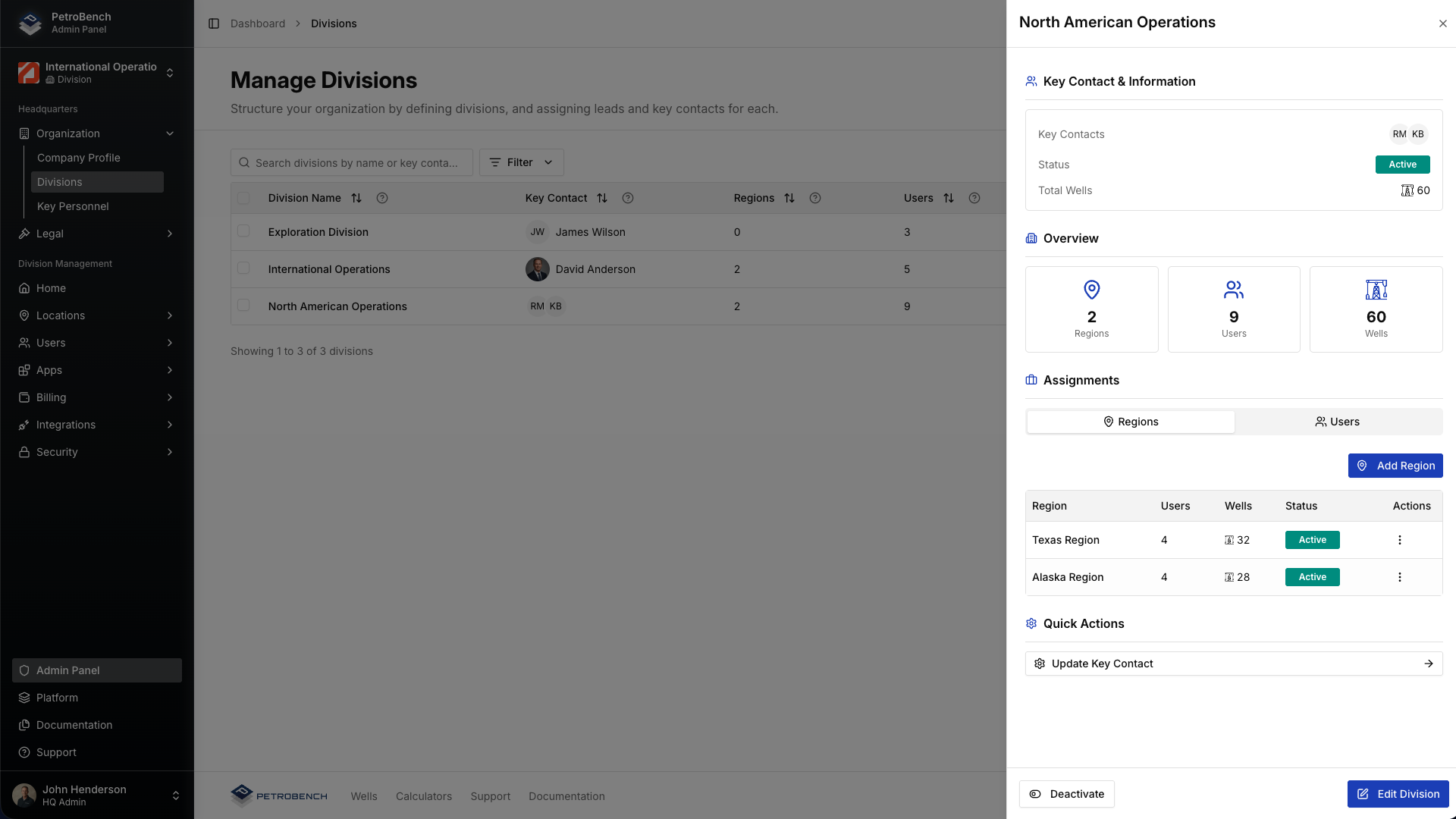
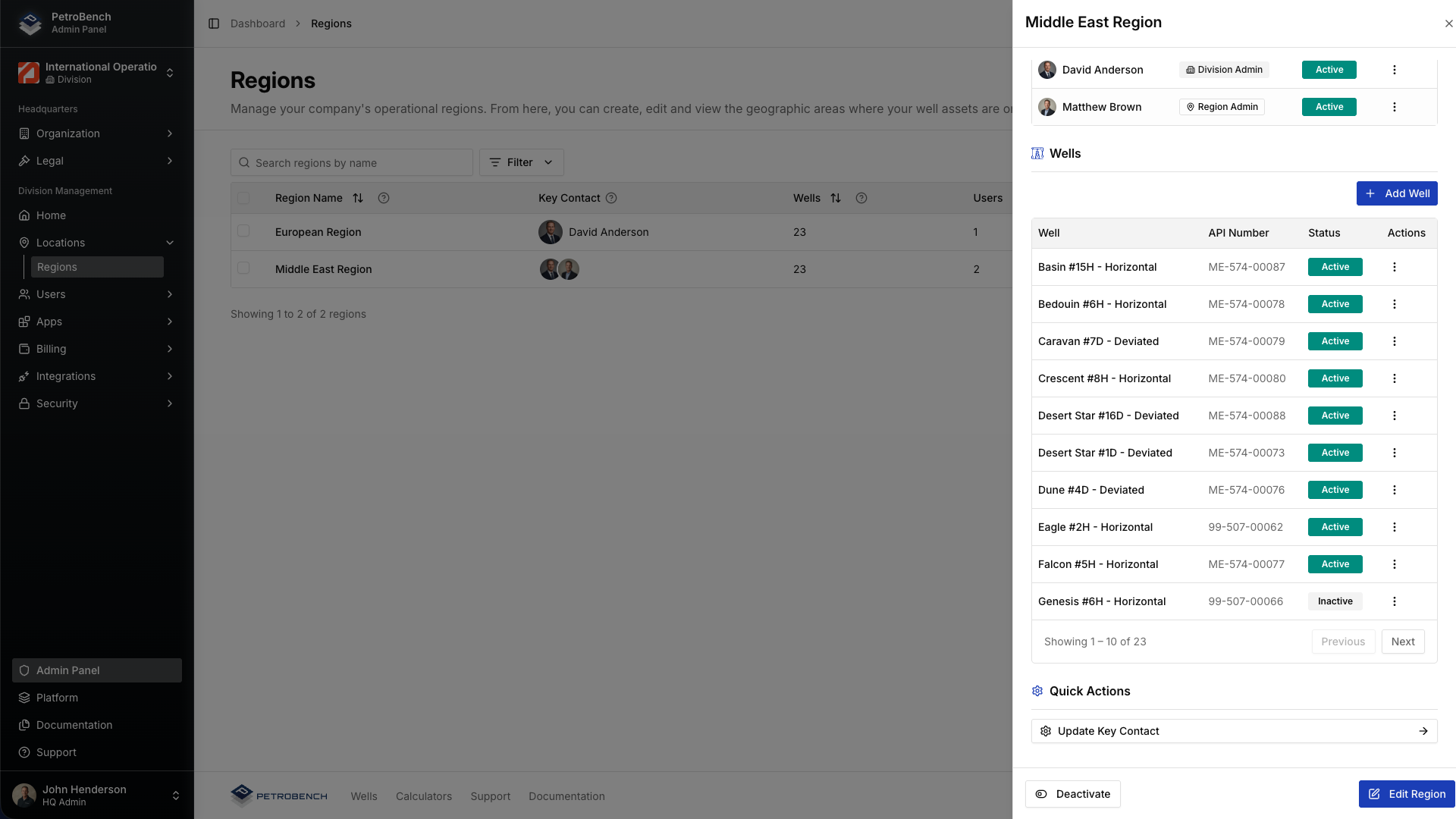
Configuration and governance are managed at the division level. Divisions define equipment libraries, standards, and defaults that apply across their regions.
Defaults for well creation and simulation setup can be configured at the division or region level, allowing location-specific standards to be applied automatically and consistently.
Regions operate within their assigned structure, and groups provide scoped access for teams or projects. The hierarchy keeps wells, simulations, and users organized without creating isolated accounts or disconnected environments.
Roles, Permissions & Audit Trail
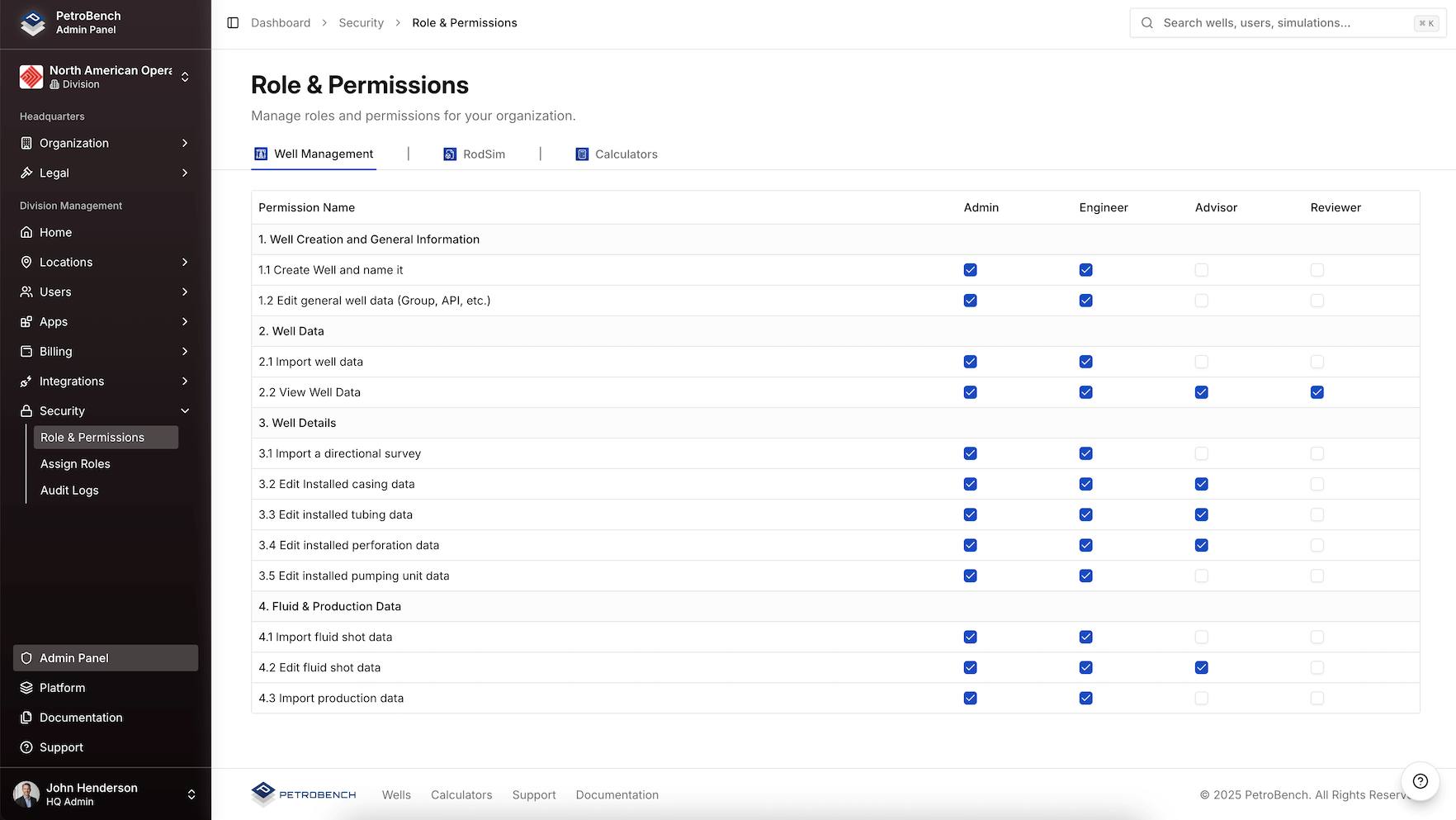
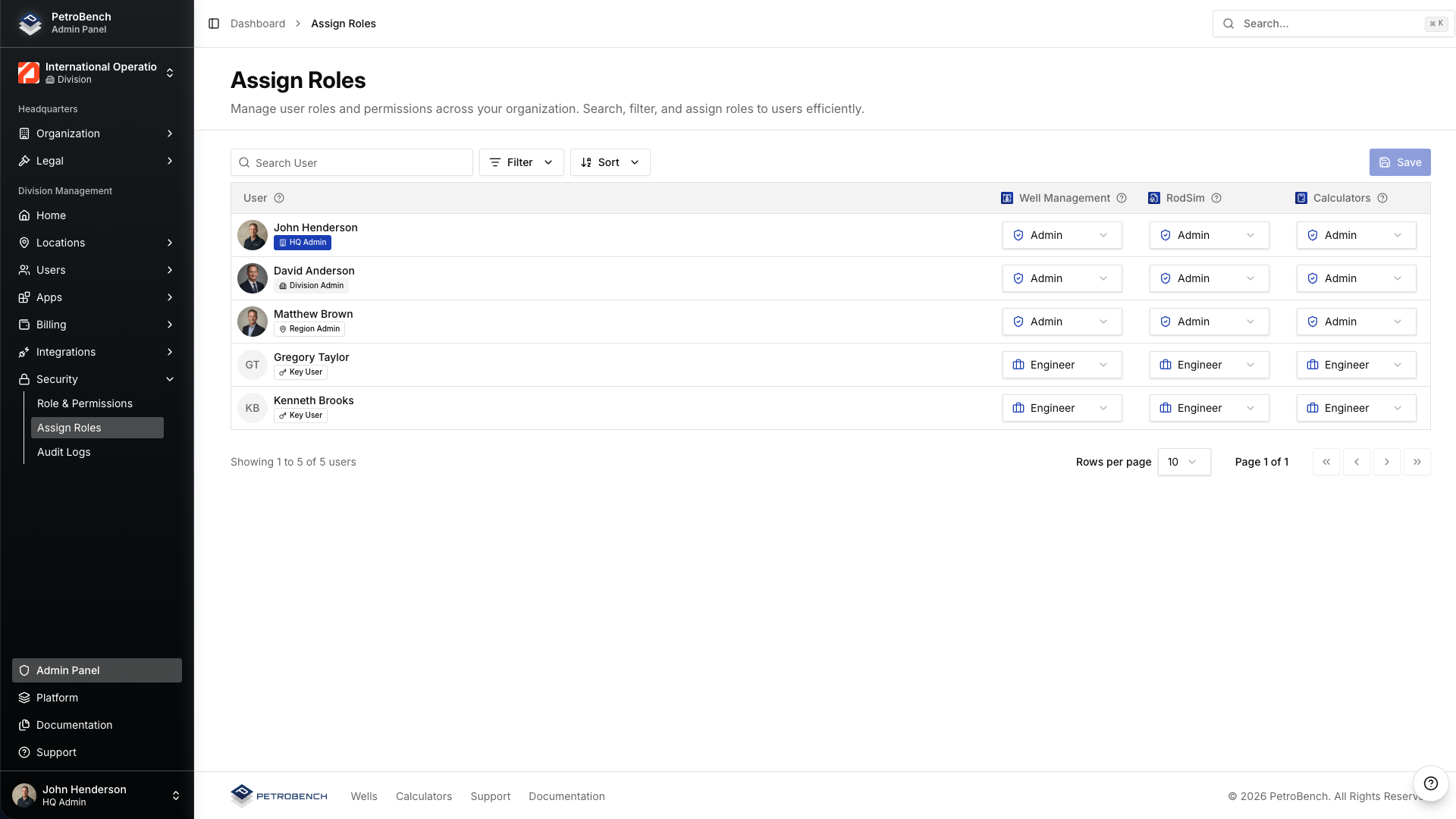
Access control is configurable at the headquarters, division, and region levels.
Administrators can define who can create and modify simulations, edit well data, manage organizational settings, or access information within specific divisions or regions.
The platform integrates with enterprise identity providers through SSO, including Azure AD, Okta, and other SAML-based providers. Optional SCIM provisioning supports automated user lifecycle management.
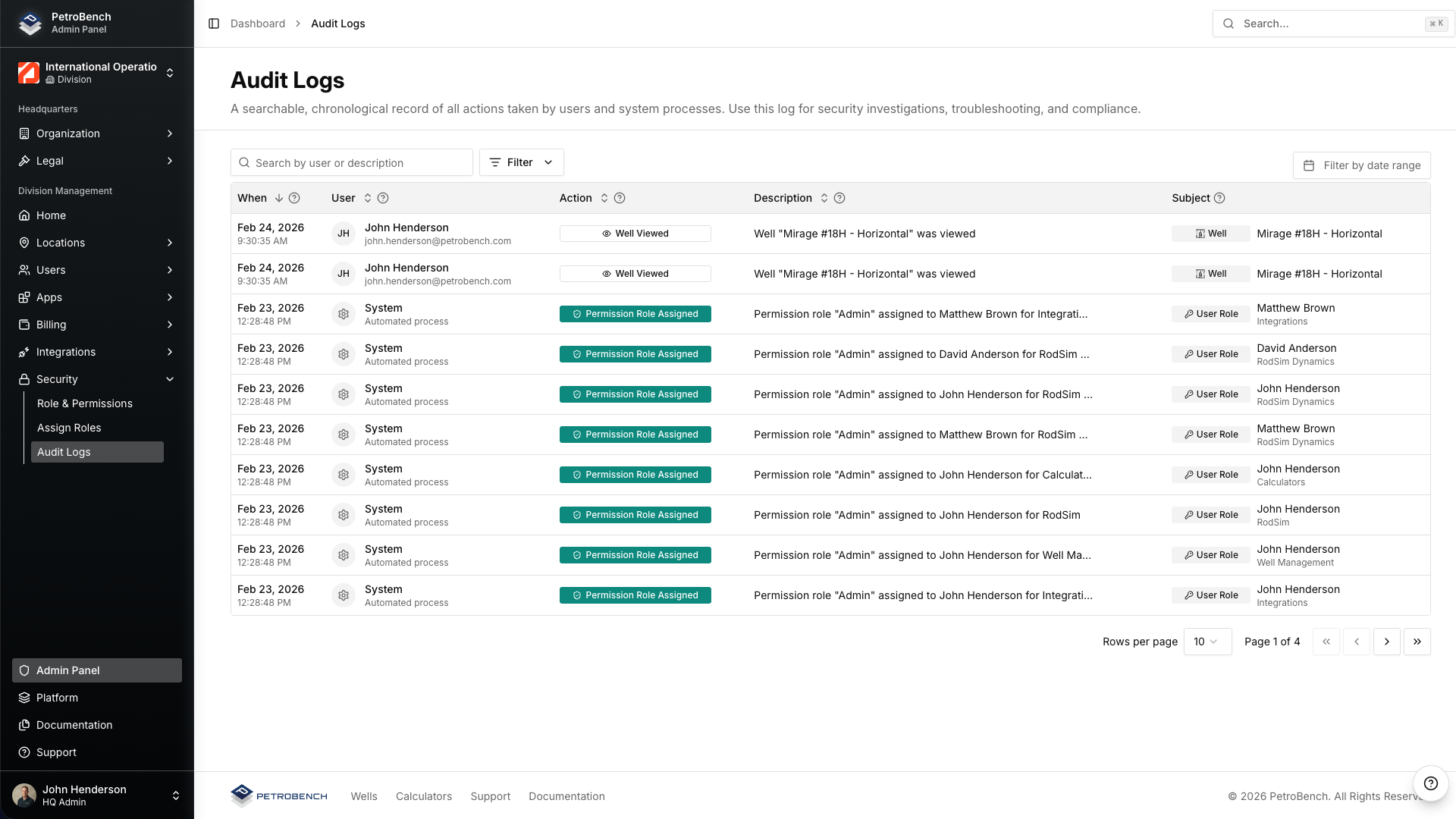
All user activity is logged, providing a clear audit trail for governance, compliance, and internal oversight.
Bulk Import Legacy Simulation Files
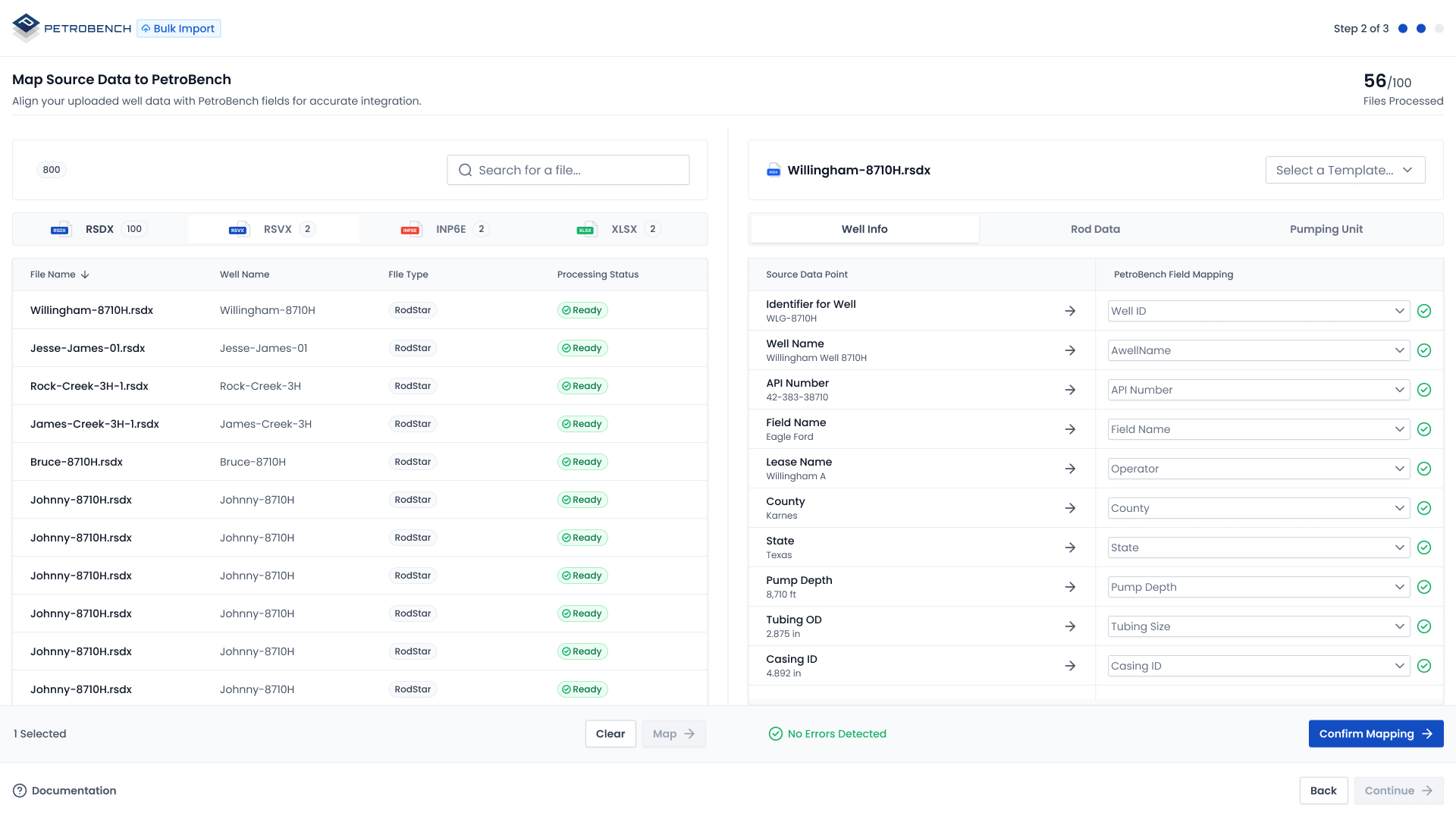
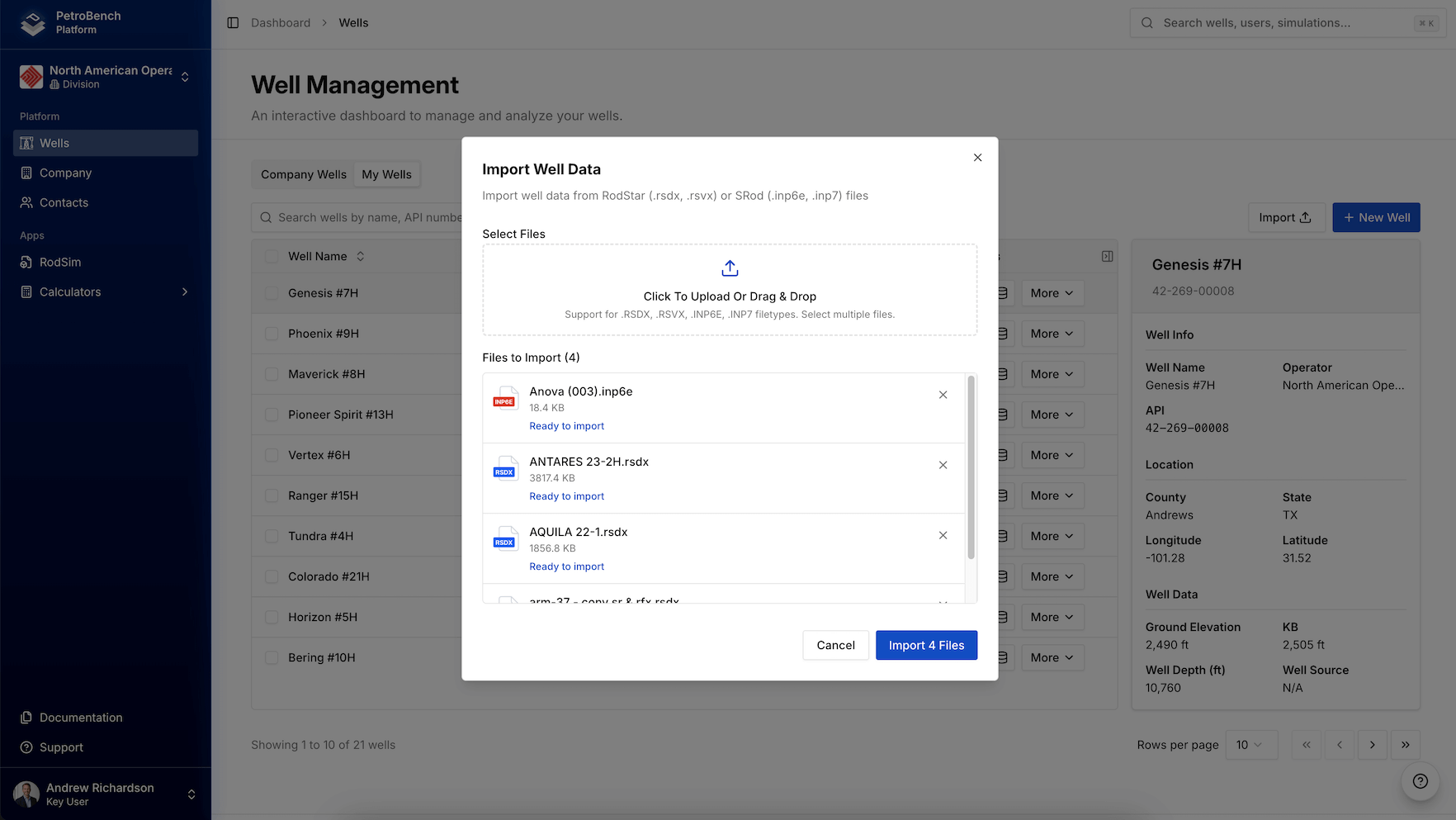
Bring existing work into V2 without starting over. Bulk import SROD and RODSTAR files directly into the platform. All historical simulation data, rod string configurations, and well parameters are preserved and ready to use in the new system.
Smart column mapping supports structured data import from hundreds of files simultaneously, helping teams transition legacy datasets into a centralized system.
Data Integrations & Automation
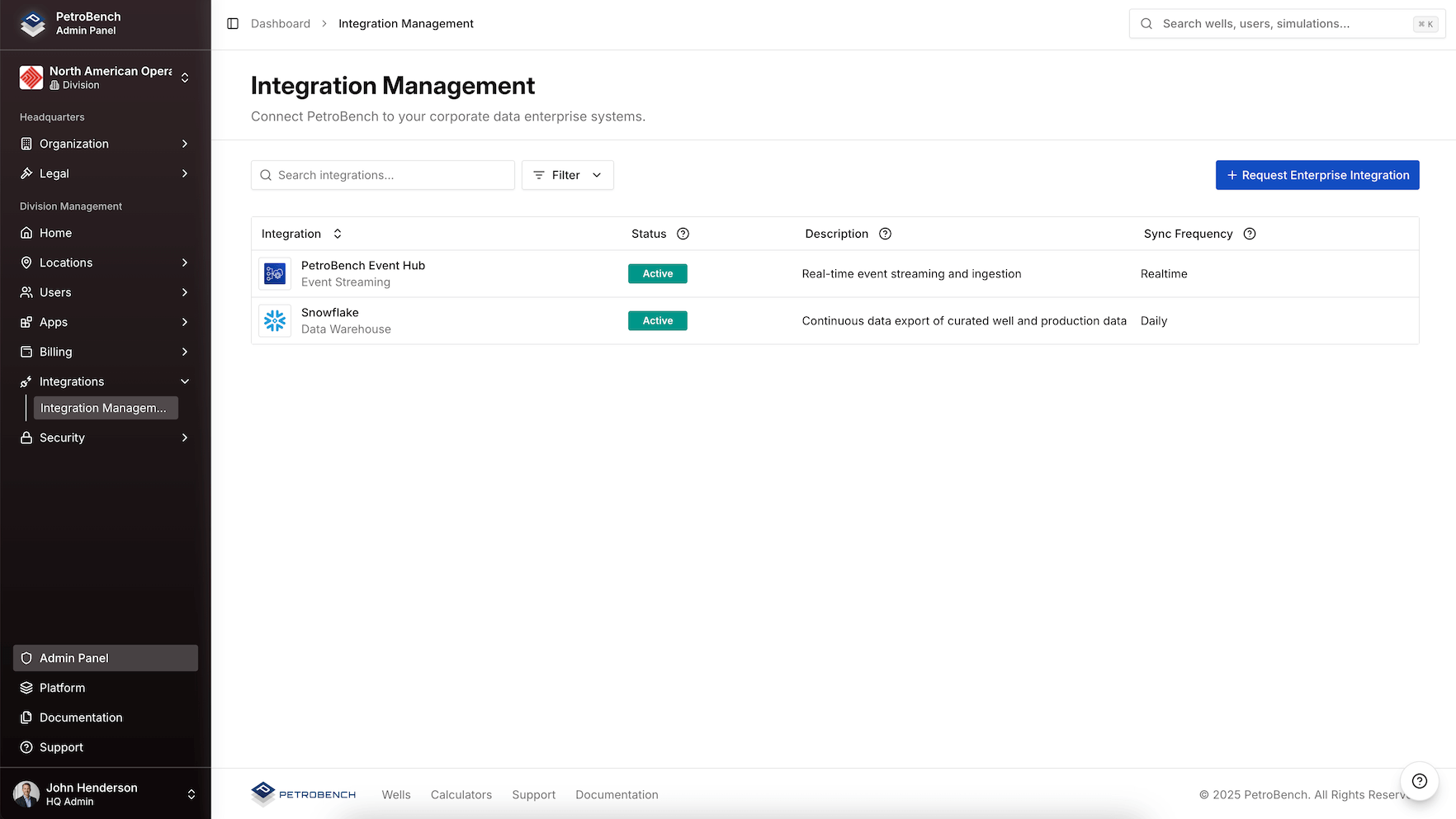
PetroBench integrates with enterprise data platforms including Snowflake, Databricks, WellView, and other structured data lakes through bi-directional synchronization.
At the core of this capability is Event Hub, the platform's data and automation backbone. It manages imports, exports, and structured synchronization between connected environments.
Synchronization or event-based triggers can initiate rule-driven automation inside the platform. Templates can be applied systematically, workflows can be executed automatically, and results or data updates can be pushed back into connected systems through defined automation logic.
Event Hub enables structured, repeatable automation across engineering and enterprise systems without manual intervention.
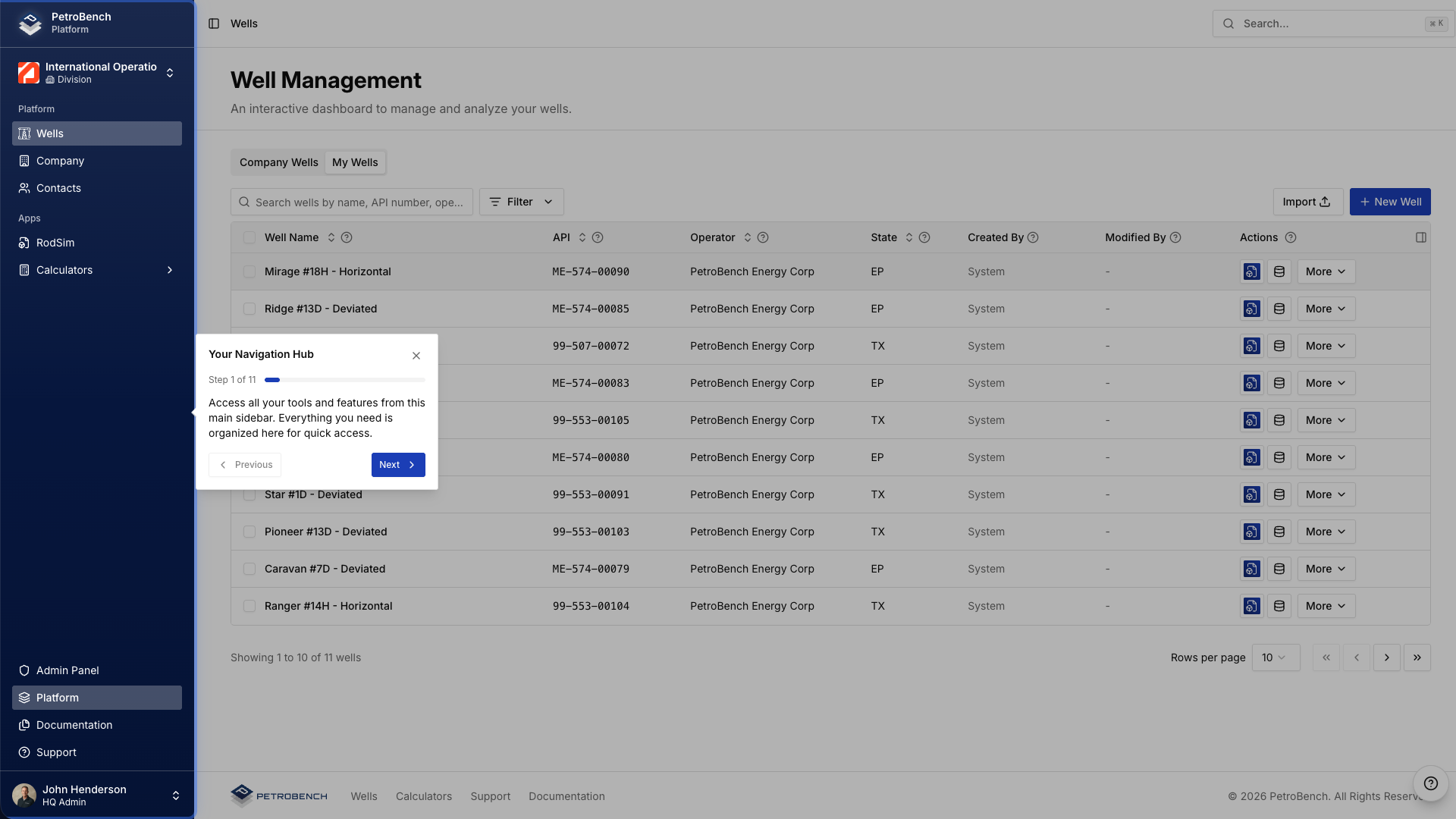
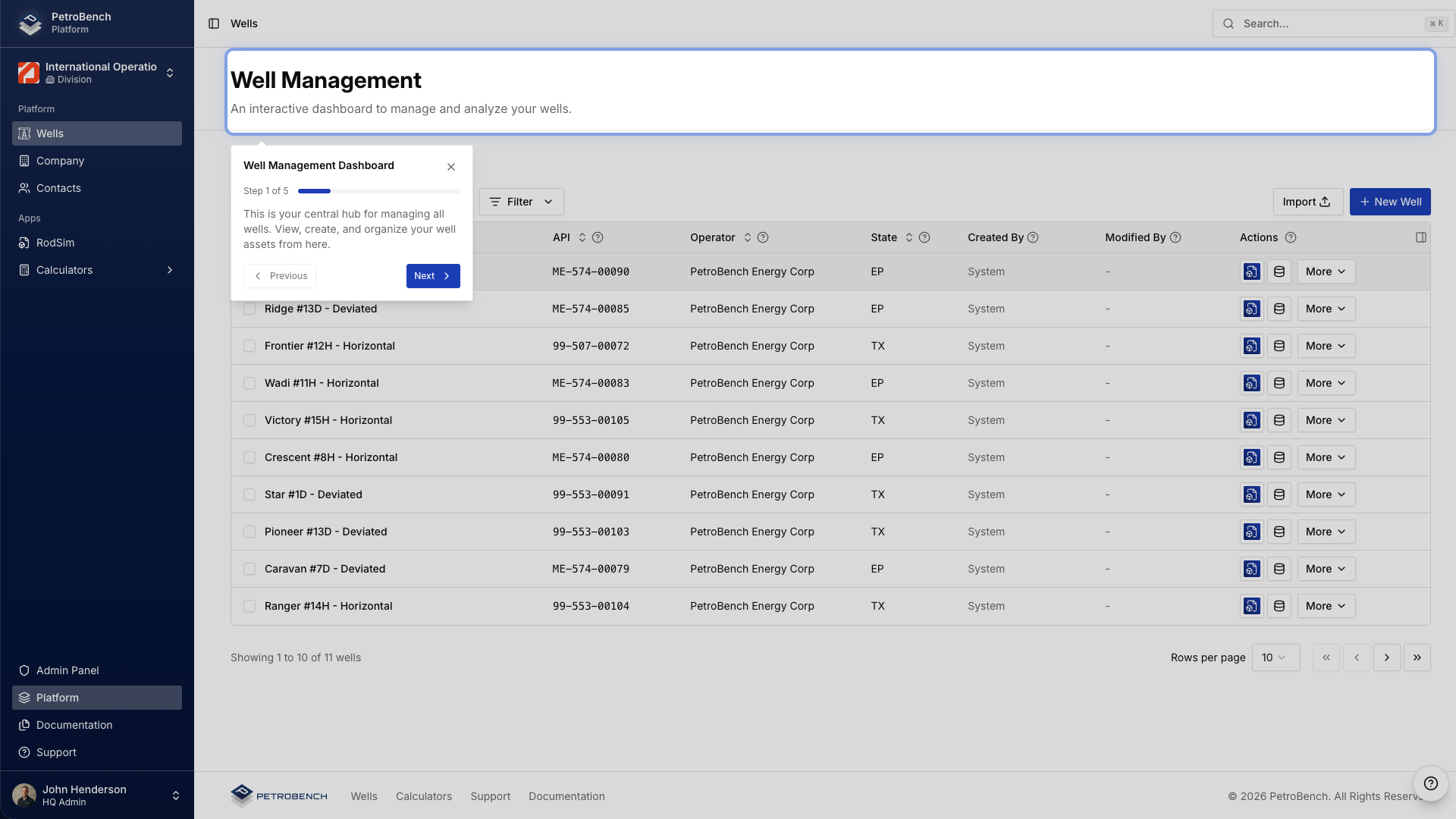
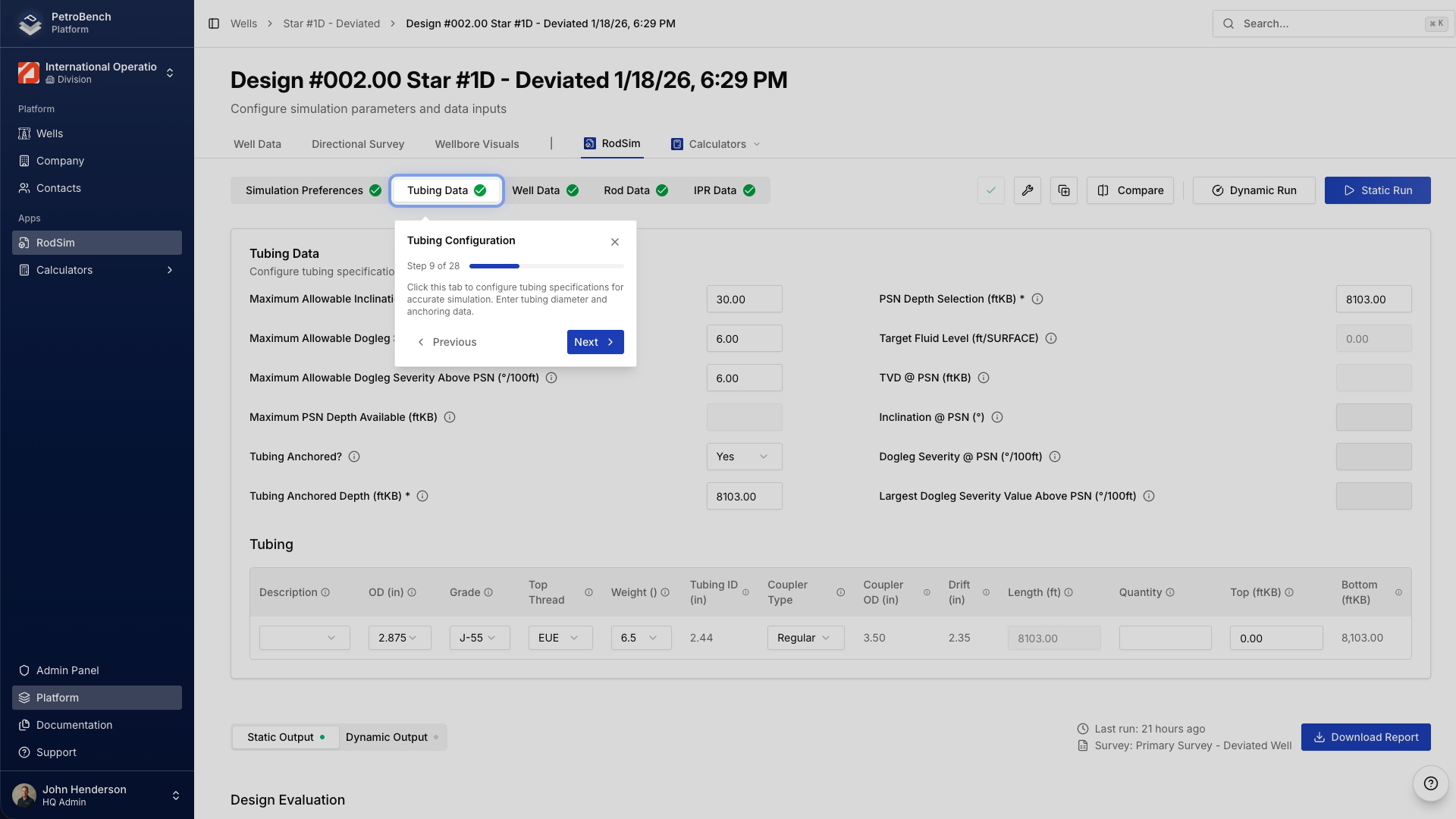
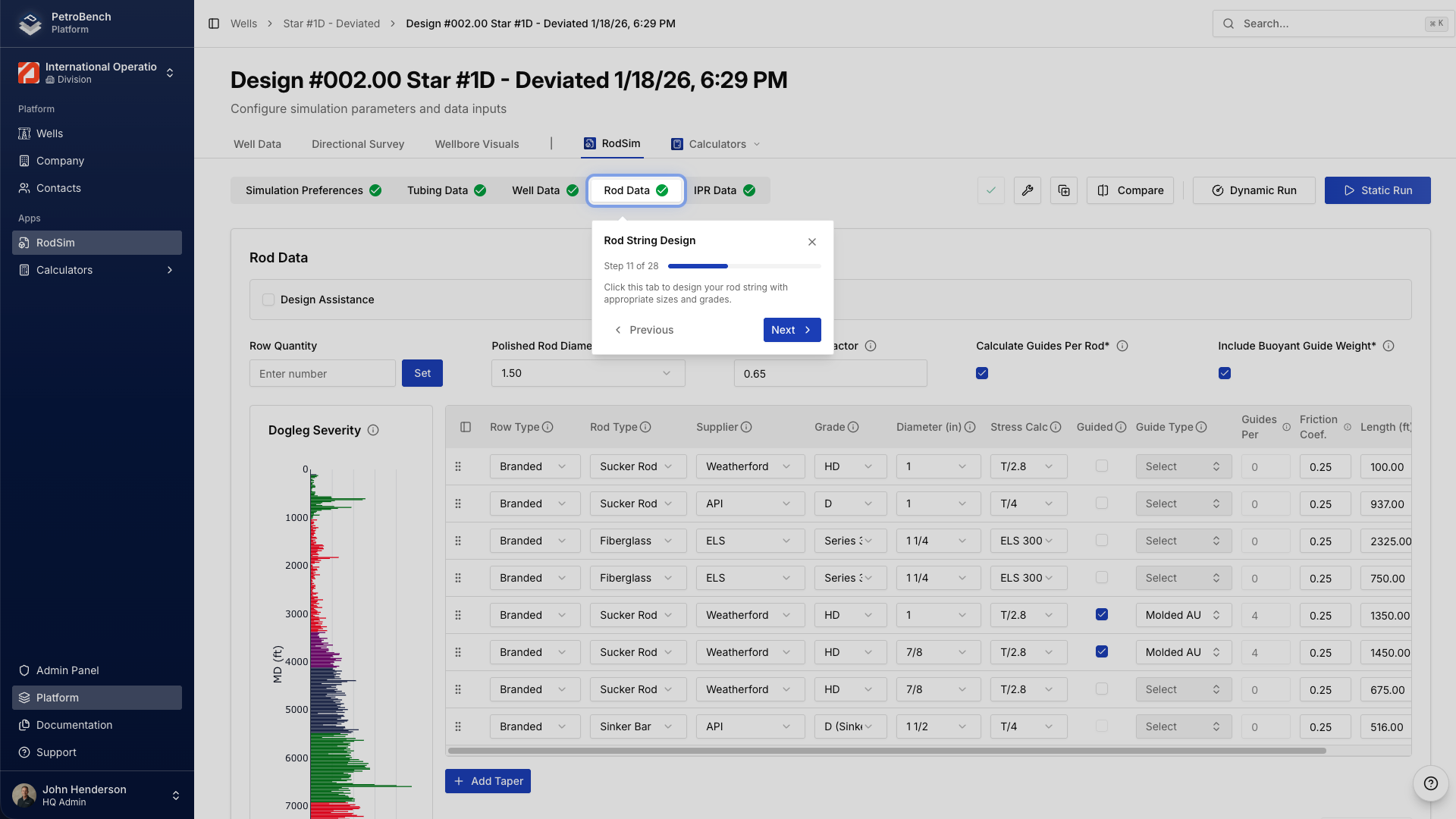
Built-in Onboarding Tours & Documentation
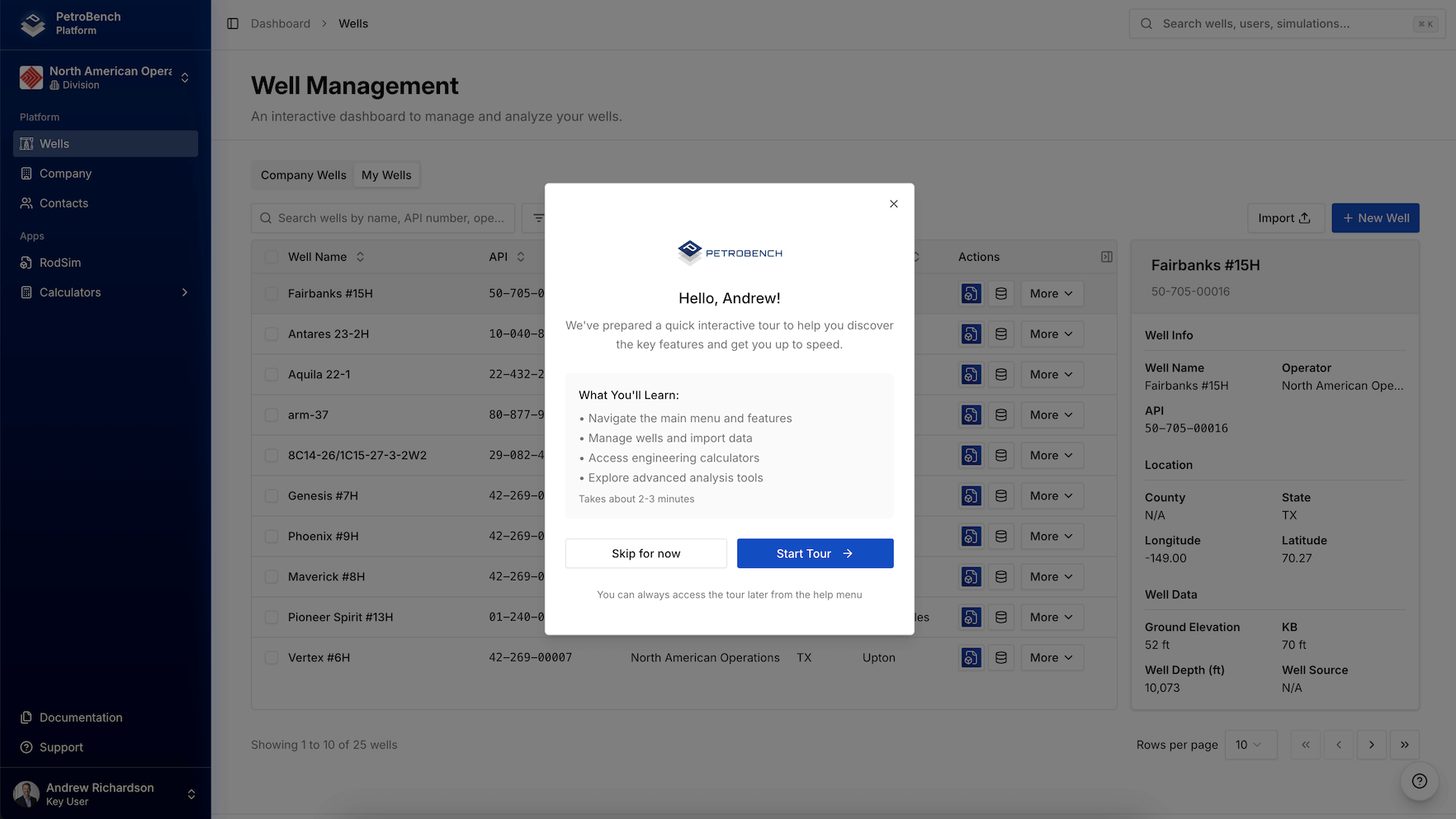
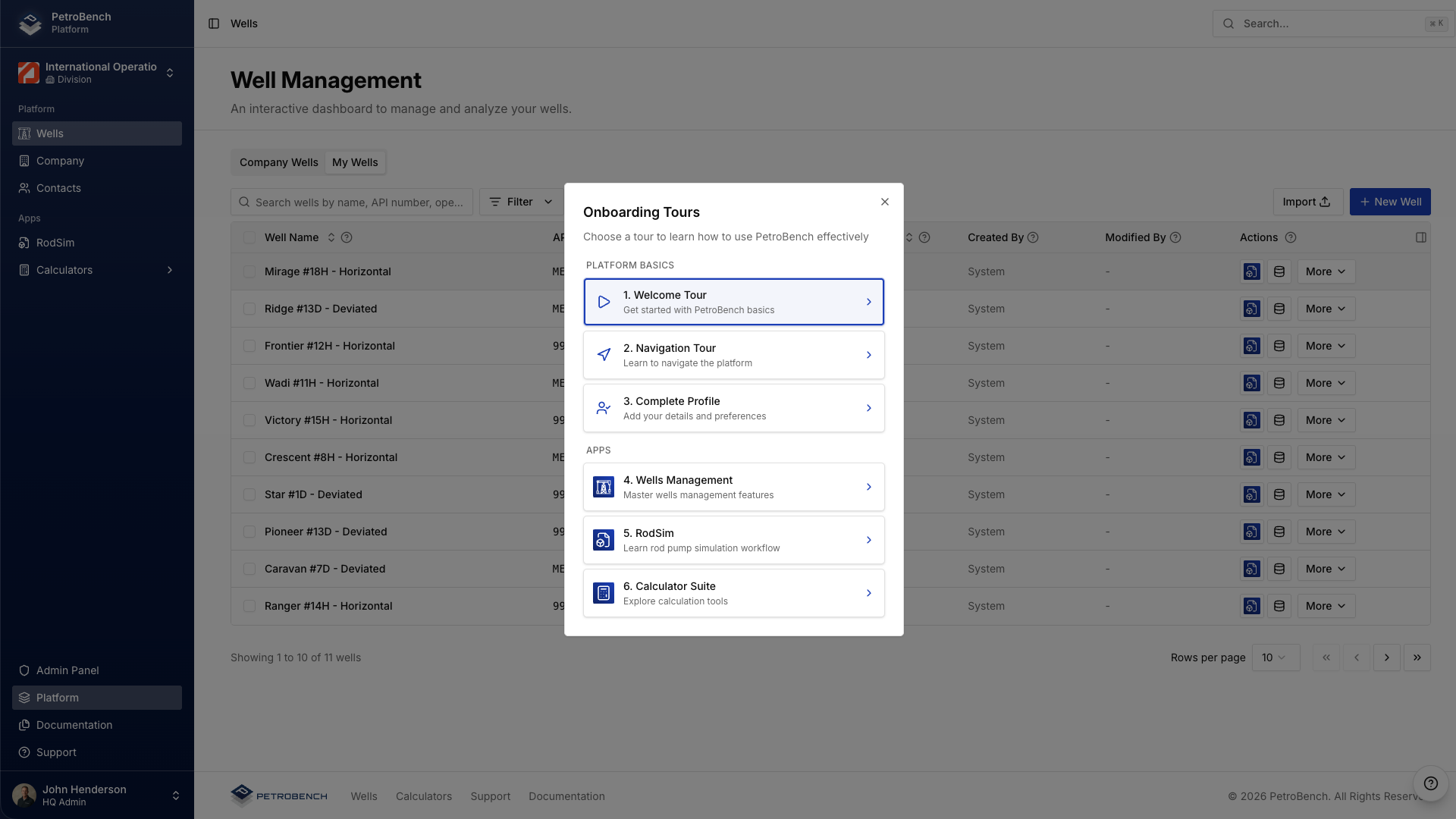
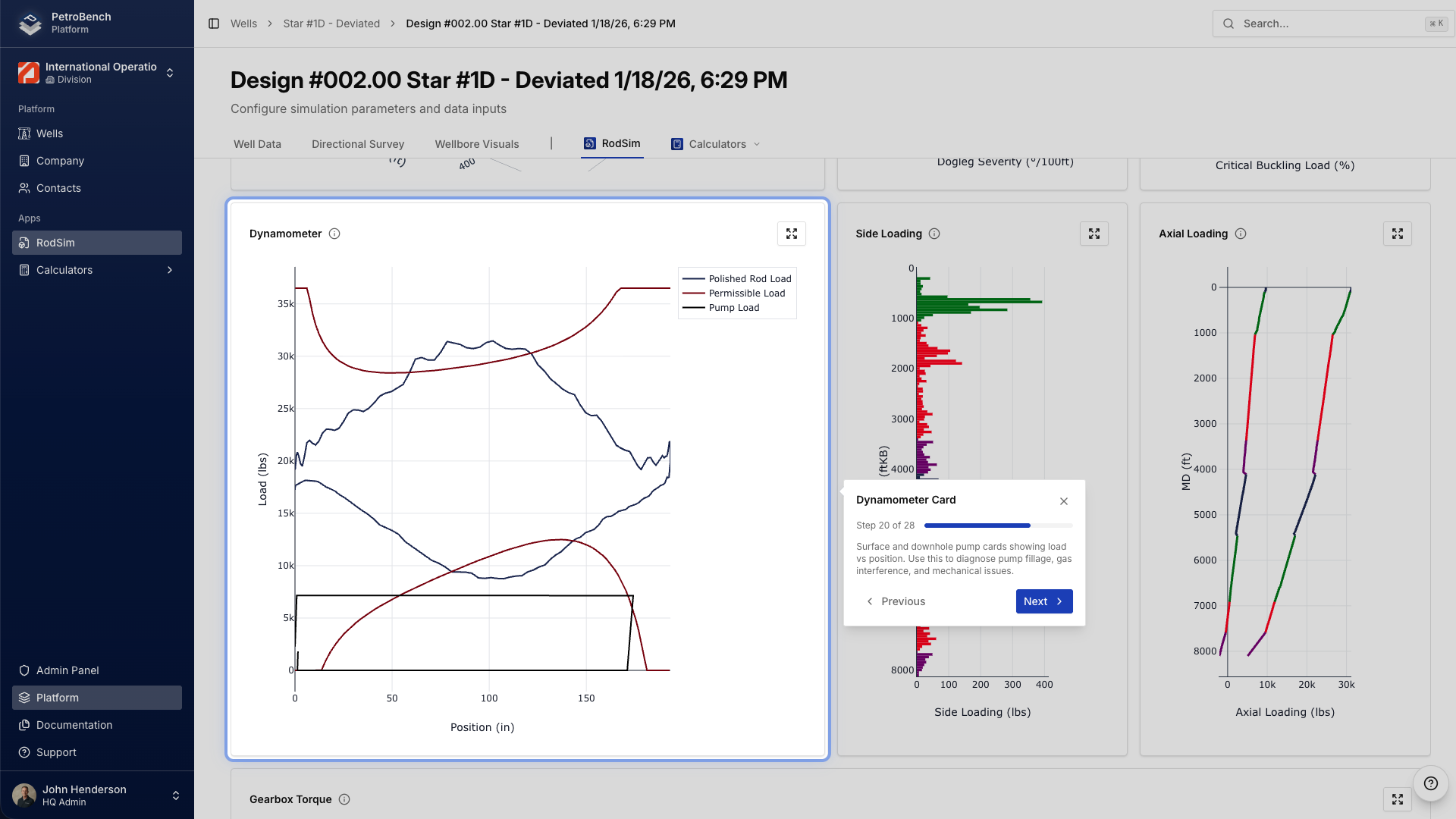
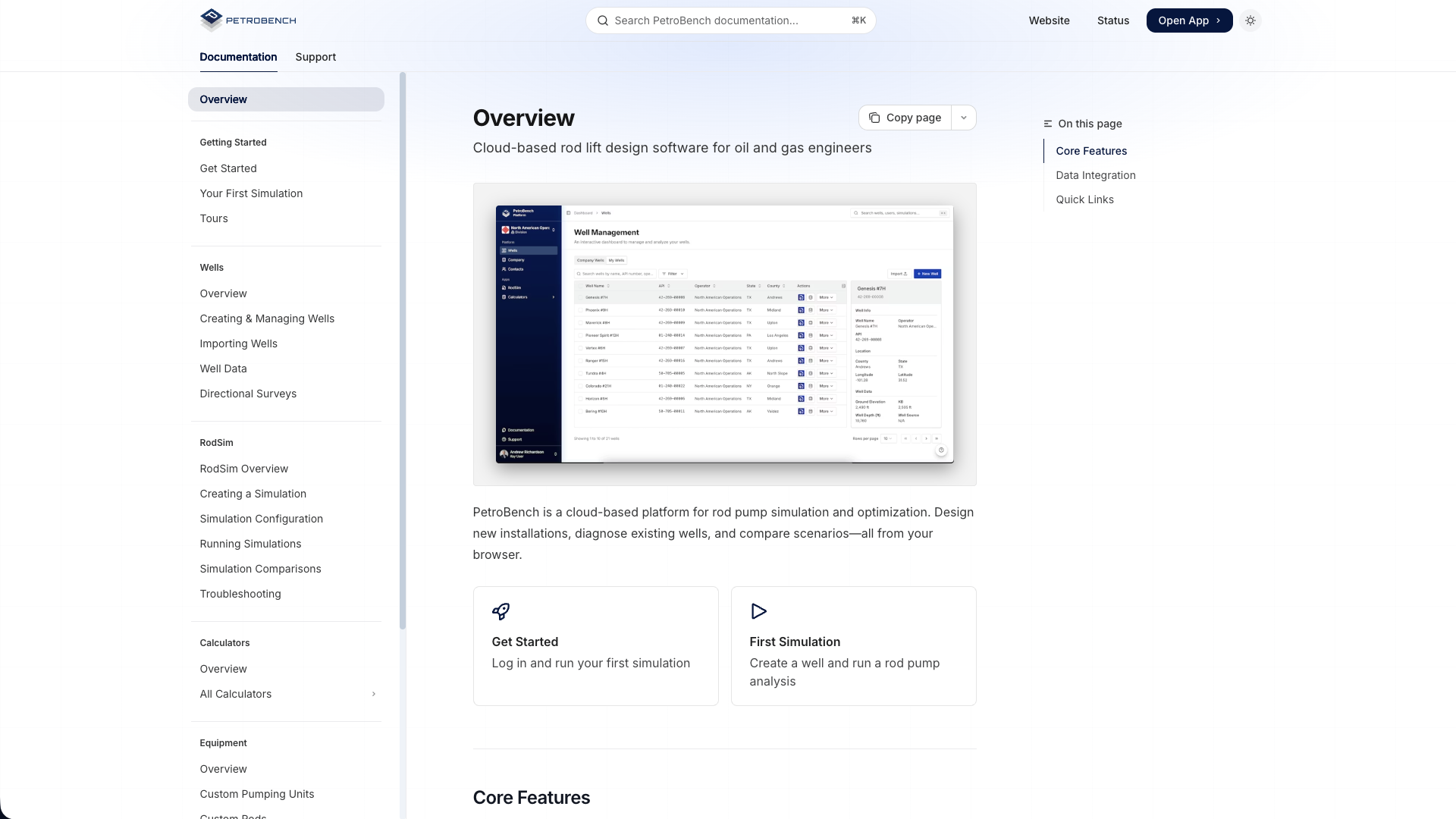
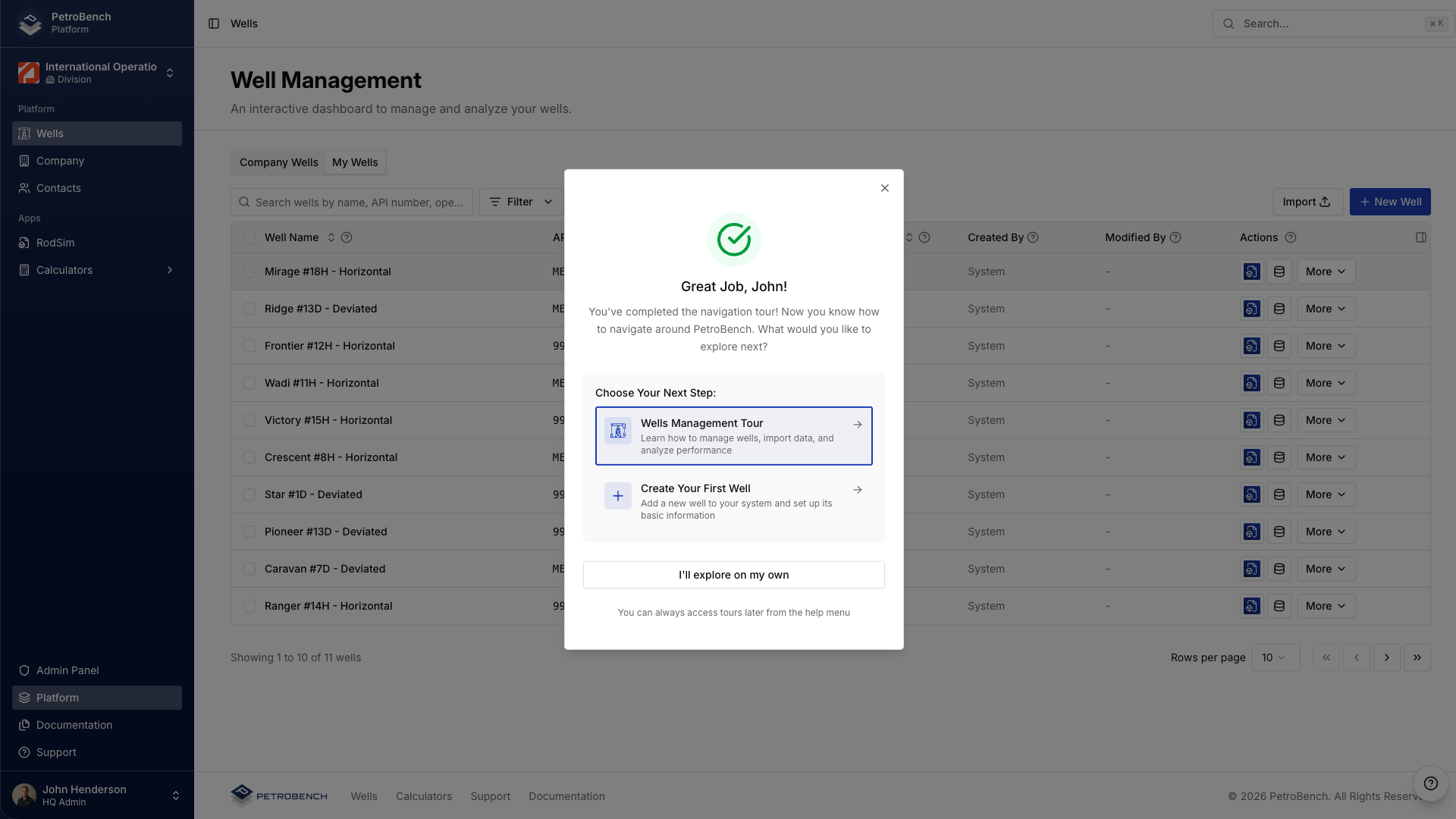
Interactive guided tours walk new team members through every major workflow from simulation setup to results interpretation. Complete documentation is searchable directly from within the platform with step-by-step guides for every feature.
What's Coming Next
V2 is the foundation, not the finish line. We have a full product roadmap of features that will roll out over the coming weeks and months - including email notifications, shared simulations, in-app comments and mentions, real-time collaboration, review and approval workflows, and internal and external sharing of wells and simulations with contractors and partners.
If there is something specific your team needs, we want to hear about it. Our roadmap is shaped directly by the operators and engineers who use the platform every day.
Get in Touch
Whether you are evaluating PetroBench for the first time or migrating an existing team to V2, we will walk you through the platform, answer technical questions, and help you plan a rollout that fits your organization.
Our scheduling system is temporarily unavailable. Click below to schedule directly or contact us.